
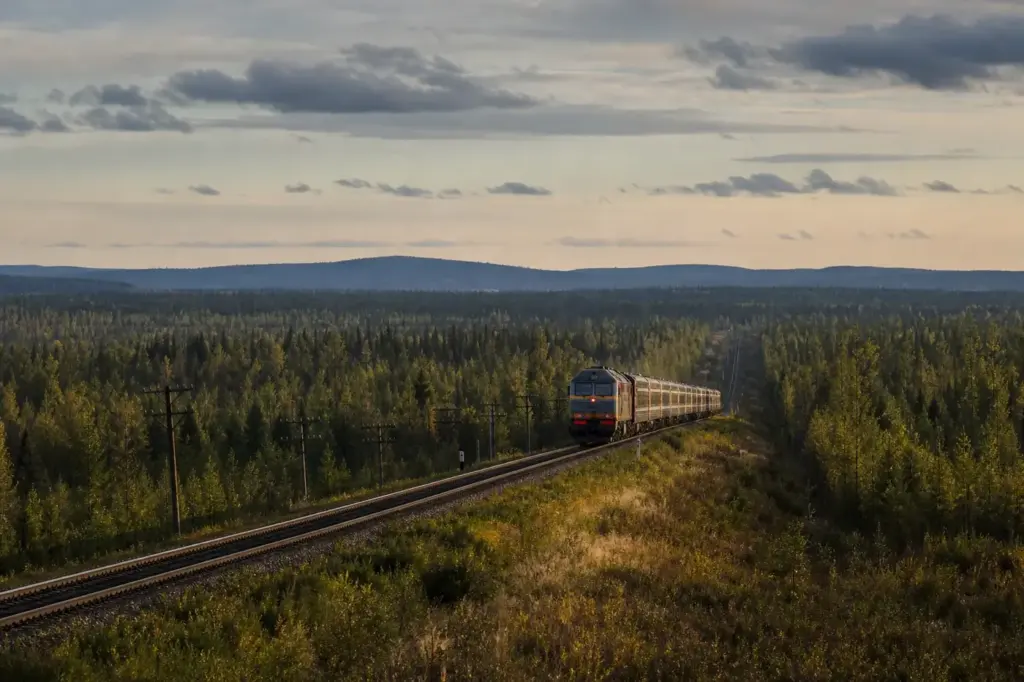
If you’re traveling the Trans-Siberian Railway—whether from Moscow to Vladivostok, through Ulaanbaatar to Beijing, or on the Manchurian route—you’ll want to know what connectivity actually exists on the longest railway journey in the world. How to stay connected on the Trans-Siberian Railway depends on your approach: the train itself has no WiFi, but mobile phone service through local Russian SIM cards or eSIM plans works for much of the route, with gaps in truly remote Siberian sections.
Most travelers get a Russian SIM card or eSIM before boarding, download offline maps and entertainment, and use mobile data at stops and in cities. This guide covers the best options, how to set them up, and what to realistically expect as you cross eight time zones.
Current access notice: As of October 2026: Foreign tourists cannot purchase physical Russian SIM cards in-store without a Gosuslugi (Russian government digital ID) account. eSIM remains the primary option for foreign travelers, though eSIM provider availability in Russia changes periodically. Confirm your chosen eSIM provider covers Russia and the Trans-Siberian route before purchasing. Some international eSIM providers have exited the Russian market.
Quick answer: Get an eSIM or physical Russian SIM card (MTS, MegaFon, or Beeline preferred) before departure. Download offline maps and entertainment. Expect variable 3G/4G coverage near cities and frequent dead zones across remote Siberia. Boarding the train and activating your SIM takes 10–15 minutes; allow an extra hour in your starting city to purchase a physical SIM if needed.
At a Glance
| Total time | 10–15 minutes to activate your SIM or eSIM on the train; 1–2 hours to purchase a physical SIM at a Russian airport or city shop |
|---|---|
| Typical cost | ₽ |
What You Need Before You Start
- Unlocked smartphone that accepts SIM cards or supports eSIM
- Physical SIM card (purchased at a Russian airport or city shop before boarding) or eSIM plan (installed before travel)
- Offline maps downloaded (Google Maps, Maps.me, or Yandex Maps) of your whole route
- Entertainment files (videos, ebooks, podcasts) saved to your device for dead-zone periods
- Power bank or charger (onboard power outlets are limited and may not work reliably)
- Passport or identification (required when purchasing a physical SIM at some shops)
Compare Your Options
| Option | Duration | Price | Notes |
|---|---|---|---|
| eSIM plan (MTS, Yesim, Roamix) | Setup before travel; data valid 30–365 days depending on plan | ₽₽ | No registration needed. Install via QR code before you leave home. A 24-hour reconnection block on foreign eSIMs was introduced in October 2025; some eSIM providers with international routing bypass this. Best if you don't speak Russian or have limited time in Russia before boarding. Less control over operator choice (provider auto-selects best network in each area). Coverage varies by provider agreement. |
| Physical SIM card from MTS (local operator) | Active immediately after purchase; plans typically 30 days | ₽ | MTS is the largest operator by subscriber count, with approximately 80 million users, and offers the widest network coverage, particularly in rural areas and along the Trans-Siberian railway route. Requires passport to purchase. Wide rural coverage. Many shops with English-speaking staff (at airports, major cities). Requires registration in some cities but generally simpler than before 2025. |
| Physical SIM card from MegaFon (local operator) | Active immediately after purchase; plans typically 30 days | ₽ | Trans-Siberian Railway route has 4G coverage near major cities and settlements, with gaps in remote Siberian sections. MegaFon is strong in the major cities and along the Trans-Siberian corridor, with reliably fast 4G in urban centers. Requires passport. Excellent city coverage; better than MTS in some urban areas. Rural coverage slightly less extensive than MTS. |
| Physical SIM card from Beeline (local operator) | Active immediately after purchase; plans typically 30 days | ₽ | Beeline has an English-language website and pretty good 4G coverage at remote countryside regions (especially south of Moscow), Trans-Siberian and Baikal. Good for English speakers who want to top up online between boarding. Requires passport. Urban coverage strong; rural coverage slightly weaker than MTS or MegaFon. |
| Backup dual SIM strategy | 30–90 days (both SIMs active simultaneously) | ₽₽ | If you are traveling to remote regions, countryside, or the Trans-Siberian, it is recommended to get at least two SIMs, so you can always be connected in case one of your networks doesn't work. The best ones are Megafon and Beeline—if you get those two you'll probably be covered. Requires dual-SIM phone or eSIM + physical SIM combo. Maximum coverage reliability. Higher cost. Recommended for journalists, business travelers, or anyone who absolutely must stay reachable. |
₽ budget · ₽₽ moderate · ₽₽₽ upscale · ₽₽₽₽ splurge. Price levels are estimates compared with typical prices for visitors.
Step-by-Step Instructions
Step 1: Choose your connectivity option before you travel
Russian SIM cards have required a Gosuslugi (Russian government digital ID) account since January 2025, and foreign tourists without a Russian government account cannot purchase a local SIM. Your best options are: an eSIM plan (installed before departure, no registration needed), or a physical SIM purchased in Russia at a shop or airport before boarding. eSIM providers that currently serve Russia include Roamix and Yesim (though availability changes; confirm this works before you buy).
Tip: Check the eSIM provider's coverage map specifically for the Trans-Siberian route. Many mainstream eSIM providers (Airalo, Holafly) no longer cover Russia as of October 2025.
Step 2: If using eSIM: install and test it before boarding
Download your eSIM provider's app, scan the QR code they send, and activate the plan on your phone before you leave home or at your hotel. Send a test message or use data to confirm it works. Keep the activation details (provider phone number, balance-check code) written down in case you need to troubleshoot on the train.
Tip: Activate the eSIM at least a few hours before boarding so any connection issues can be sorted while you're still near a city.
Step 3: If buying a physical SIM: purchase at a Russian airport or city
Arrive at your starting city (Moscow, Vladivostok, etc.) at least 1–2 hours before boarding. Find a mobile operator shop: MTS, MegaFon, Beeline, or Tele2 (T2) kiosks are in most airports and major city centers. Tell staff you want a prepaid data SIM for the Trans-Siberian. Hand over your passport. They will activate the SIM in your phone and explain your plan. Ask for a receipt showing your balance.
Tip: MTS is the most widely recommended for the Trans-Siberian. MegaFon is also strong. Avoid making this purchase at the station on the day of travel—queues can be long and you may miss your departure.
Step 4: Download offline maps and content before boarding
Download offline maps before departing, as mobile coverage drops out in remote stretches between cities. Use Google Maps, Maps.me (popular with travelers), or Yandex Maps to download maps of Russia and neighboring countries you'll pass through. Also download entertainment: audiobooks, podcasts, ebooks, or downloaded video episodes. This fills the hours-long gaps between cities.
Tip: A typical Moscow-Vladivostok journey is 9+ days. Expect dead zones of 3–8 hours with no signal; offline content is essential for your sanity.
Step 5: Board the train and activate your connection
Once on the train, put your SIM in your phone or confirm your eSIM is active. Check your signal strength. Move toward the window or walkway to find the strongest signal. Text a friend or family member to confirm messages send (sending text proves reception before you rely on data). Insert your device in airplane mode when you don't need it, to save battery.
Tip: Signal is strongest at the beginning and end of your journey (Moscow, cities along the route, Vladivostok). Do not expect constant connectivity.
Step 6: Use data tactically at stops and in covered areas
Signal reaches all major city stops including Kazan, Yekaterinburg, Novosibirsk and Irkutsk, but multi-hour segments through remote Siberia have no signal. When the train stops in a large city (usually 20 minutes to an hour), get out onto the platform and use the time to check email, download updates, or make calls. Use messaging apps like WhatsApp or Telegram instead of SMS or voice calls, as these are cheaper and work on mobile data.
Tip: Jot down stop times from your ticket or ask your fellow passengers—you don't want to waste precious connection time. Major stops are predictable.
Step 7: Check and refill your balance or data mid-journey
Russian mobile operators have roaming even in Russia, so it's better to switch on a special data roaming tariff, which will give you 1 Gig of traffic for a lower price when you get outside of the region you bought your SIM in. Many SIM plans come with data for only the first region. At a major stop (Yekaterinburg, Novosibirsk, Irkutsk), visit a shop or convenience store and ask to top up your SIM or activate a roaming package. Bring cash—foreign cards may not work reliably.
Tip: Plan your mid-journey top-up: know in advance which city you'll be at halfway through and set a reminder.
Step 8: Accept and work around dead zones
Over the Trans-Siberian Railway there are hundreds of kilometers where there is no mobile communication. This is normal and not a fault. Use these quiet hours to read, sleep, watch downloaded content, play games offline, or journal. Message friends before entering a dead zone so they don't worry if they can't reach you.
Tip: Some travelers find the disconnection liberating—it's one of the rare journeys where you truly can't be reached, and that's okay.
Common Mistakes to Avoid
- Relying on international roaming from your home carrier. Foreign carriers still offer connectivity, but the problem is the price: roaming rates in Russia tend to be very high per MB of data, which means a single day of normal phone use can get very expensive.
- Expecting WiFi on the train. There is no Wi-Fi on the train, but you can get a SIM with 3G/4G fast internet, so you can check your e-mails and Facebook along the way. Plan for mobile data only.
- Buying a SIM card at the railway station on the day of departure. Shops at stations can have long queues and limited stock. Purchase 1–2 hours before boarding at an airport or city-center shop.
- Not downloading offline maps before boarding. Offline maps are lifesaving for identifying stops, finding accommodation in cities you pause in, and navigating when signal drops. Google Maps, Maps.me, and Yandex Maps all allow offline downloads.
- Forgetting to switch on a data roaming package when traveling outside your SIM's home region. Russian mobile operators have roaming even in Russia; it's better to switch on a special data roaming tariff, which will give you 1 Gig of traffic for a lower price when you get outside of the region you bought your SIM in. Any of the 3 main operators will do well: Megafon, BeeLine or MTS. Later in Siberia Megafon and BeeLine work better at places like Baikal Lake.
- Not charging your phone strategically. Power outlets on the train are rare and unreliable. Charge at every stop in a major city. Bring a large power bank.
- Underestimating battery drain in cold weather. Siberia in winter means cold that drains phone batteries rapidly. Keep your phone inside your jacket or sleeping bag, carry it close to your body, and use lower screen brightness.
Tickets, Payment and Booking
For eSIM plans: Purchase from providers like Roamix, Yesim, or others that currently cover Russia (availability varies). Install via QR code before you leave home. No registration required.
For physical SIM cards: Purchase in person at a mobile operator shop (MTS, MegaFon, Beeline, Tele2/T2) in a Russian airport or city center before boarding. Bring your passport. No foreign cards accepted as payment; use cash or a Russian bank card if you have one. You will need to provide a phone number and some personal details on a form (staff can help). Ask for a receipt. Payment is cash only at many smaller locations.
Warnings: Many eSIM providers stopped covering Russia in October 2025; check current reviews before buying. Do not rely on resellers or unofficial channels—always buy from the official provider website or authorized shops. Mobile coverage is not guaranteed in remote stretches; plan for hours-long dead zones.
Russia Vibes Tips
- Text, don't call. SMS and voice calls drain battery and data on the sparse network. Use WhatsApp, Telegram, or Viber instead—they use far less data and work even on weak 3G signals.
- Identify which operator each city favors before you board. MTS dominates Siberia, MegaFon and Beeline do well near major cities. Ask other travelers on forums which operator worked best for the specific leg you're taking (Moscow–Yekaterinburg, Yekaterinburg–Irkutsk, etc.); network strength shifts.
- Download the operator's app (MTS, MegaFon, Beeline) to your phone before boarding. Even with no WiFi, you can use the app to check your balance, extend your plan, or activate roaming packages if you have connectivity at a major stop.
- Bring a small wireless charger pad and a portable battery. Outlets on the train are few and inconsistent. Charge at every major stop you can, especially at cities like Yekaterinburg, Novosibirsk, and Irkutsk where you may have an hour or more to explore.
- Use transit time at big cities to your advantage. When the train stops for 20+ minutes, get signal, send/receive emails and messages, download any urgent files, and pre-load maps of the next region. It's faster than trying to do it on weak train signals.
Explore Nearby How to Stay Connected on the Trans-Siberian Railway, Trans-Siberian Railway
Sights near How to Stay Connected on the Trans-Siberian Railway, Trans-Siberian Railway
 Olkhon Island, Lake Baikal · typical visit: 2–3 days
Main image: AI-generated illustration. It may not show the place exactly as it looks.
Related guides
 How to Book Trans-Siberian Railway Tickets, Trans-Siberian Railway: Booking Guide
Main image: AI-generated illustration. It may not show the place exactly as it looks.
 Lake Baikal: Where to Go, What to See and How to Visit
Main image: AI-generated illustration. It may not show the place exactly as it looks.
 Irkutsk: 130 Kvartal, Decembrists and Gateway to Lake Baikal
Main image: AI-generated illustration. It may not show the place exactly as it looks.
 Yekaterinburg: Red Line, Yeltsin Center and Europe-Asia Border
Main image: AI-generated illustration. It may not show the place exactly as it looks.
 Vladivostok: Bridges, Eagle’s Nest and the Trans-Siberian End
Main image: AI-generated illustration. It may not show the place exactly as it looks.
Browse more: All How-To · All How-To in Trans-Siberian Railway · All SIM and Internet · All Trans-Siberian Railway
FAQ
Is there WiFi on the Trans-Siberian train?
There is no Wi-Fi on the train, but you can get a SIM with 3G/4G fast internet, so you can check your e-mails and Facebook along the way. Some travelers report seeing a WiFi signal labeled "RZD" (Russian State Railways), but it does not actually connect. Plan to use mobile data only.
How much data will I need for the whole journey?
This depends on how much you use your phone. For basic messaging, email, and occasional maps checking, 5–10 GB for a 7–10 day journey is plenty. For video calls, streaming, or heavy work use, 20–30 GB is safer. Most travelers download entertainment (podcasts, ebooks, videos) before boarding and use mobile data sparingly, relying on offline content during dead zones. Download before you leave home.
Can I use my home country's phone plan in Russia?
Roaming from foreign carriers technically works, but the problem is the price: roaming rates in Russia tend to be very high per MB of data, which means a single day of normal phone use can get very expensive. International roaming is expensive and unreliable. Get a local SIM or eSIM instead.
Which operator has the best coverage on the Trans-Siberian?
MTS offers the best coverage along the Trans-Siberian railway and in Siberian cities, with the widest network coverage, particularly in rural areas and along the Trans-Siberian railway route. MegaFon is also strong, especially in major cities. For maximum safety, some travelers get two SIMs from different operators.
What happens when there's no signal?
You won't be able to send messages or use data. This is normal and expected for the Trans-Siberian. Over the Trans-Siberian Railway there are hundreds of kilometers where there is no mobile communication. Dead zones can last 3–8 hours. Offline maps and entertainment keep you occupied. Signal usually returns when you approach a city or town.
Can I top up my SIM while traveling?
Yes. Most major stops (Yekaterinburg, Novosibirsk, Irkutsk) have mobile operator shops or convenience stores where you can add credit or upgrade your data plan. Bring cash in Russian rubles. If you use an eSIM, you may be able to purchase additional data online at a stop if you have WiFi access.
Do I need a Russian phone number for my SIM?
Yes, physical SIM cards give you a Russian phone number. eSIMs may or may not include a Russian number, depending on the provider. A Russian number is helpful for ride-sharing apps (Yandex Go), hotel bookings, and SMS verification, but not essential for the journey itself. Check your eSIM provider details.
How long does it take to activate a SIM when I board?
If you have a physical SIM, it's usually active immediately when inserted (if purchased in Russia and activated by staff). eSIM activation happens before you travel via QR code at home. Actual setup time on the train is 5–15 minutes: insert the card (or confirm eSIM is on), check signal, send a test message. Do this before departure so you're certain it works.
Russia Vibes is a one-person project. A coffee keeps it going
How we research and update our guides
About this guide: AI assistance and accuracy
This guide is created with the help of AI and is based on official sources where available. Mistakes can still happen. Opening hours, prices, rules and other details are given to the best of our knowledge as of the date shown and can change without notice. It offers general recommendations only, not professional, legal or travel advice. Please confirm important details with the official source before you travel; you are responsible for your own plans and decisions.
Packing for this trip
* Affiliate link: as an Amazon Associate we earn from qualifying purchases at no extra cost to you.

Take this guide with you
Get a free PDF of this guide to print or read offline: key facts, tips and a map link on a few clean pages.
Report an issue on this page
Paying for your trip: please read
International sanctions affect payments between Russia and many other countries. In practice, cards issued in the EU, the UK, the US and several other countries often do not work in Russia, Russian cards usually do not work abroad, and some booking platforms, airlines and payment providers limit or suspend their services for Russia. The situation changes frequently.
We do not give legal or financial advice, and this site does not encourage anyone to break or circumvent sanctions. Whatever you plan, you are responsible for following the laws and regulations that apply to you, including those of your country of residence and citizenship.
Many travelers still organise their stay lawfully. It is worth asking your bank or payment provider what is currently permitted, contacting hotels, tour operators and carriers directly about the payment methods they accept, and checking which services are open to customers from your country. Clarify payment, cancellation and refund terms before you commit to a booking, and keep your plans flexible.
Partner links on this site may not be available in every country, and prices, availability and rules in our guides can differ from what you see when you book.