
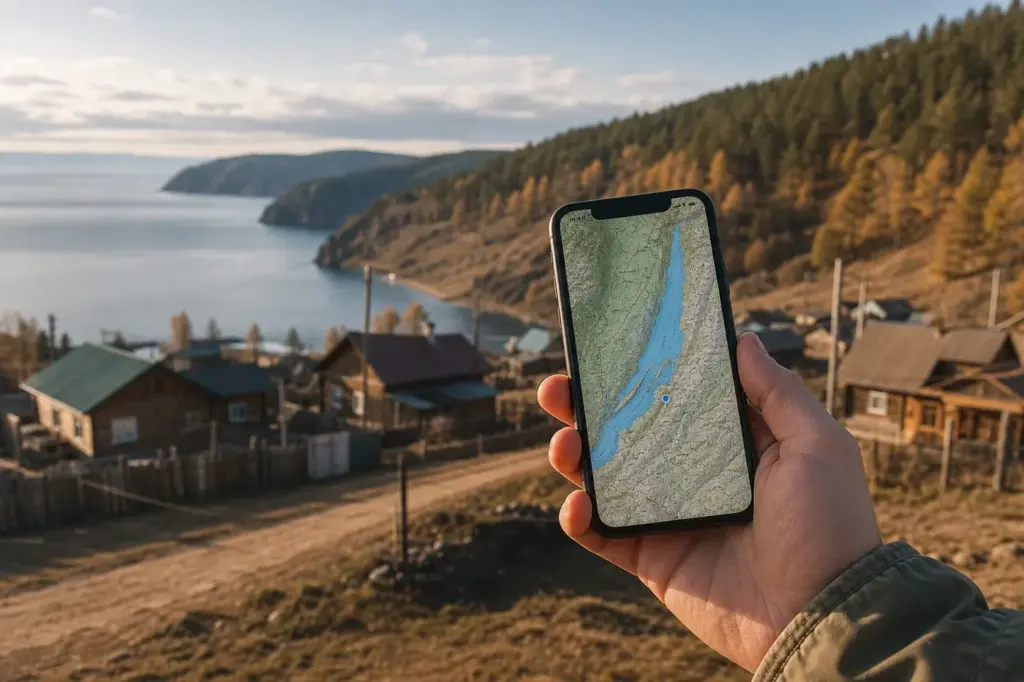
Mobile internet at Lake Baikal is essential for navigation, translation, booking transport and coordinating with local guides—but signal coverage is uneven. How to stay connected with mobile internet at Lake Baikal requires planning: main settlements like Listvyanka and Khuzhir get solid 4G, but remote shores and wilderness areas have little or no signal. The recommended option is to activate an eSIM or buy a local SIM card from MTS or MegaFon before you leave your accommodation or hotel each day, then download offline maps and guides for areas where you’ll lose coverage.
Tourists now face stricter rules than a few years ago: foreign visitors cannot buy physical SIM cards without a Russian government account (Gosuslugi), making eSIM the simplest option for most travellers. If you do arrange a physical SIM through alternative channels, the setup takes about 30 minutes and is very cheap.
Current access notice: As of October 2026: Russia applies a mandatory 24-hour block on all foreign SIM cards and eSIMs when they first register on a Russian network. Mobile data and SMS will be unavailable for approximately one day after activation. Plan your arrival accordingly; activate eSIM one day before flying, or expect to be without data on your first day. This rule applies to all international visitors regardless of nationality. Check the official website of your eSIM provider or mobile operator for updates.
Quick answer: Activate an eSIM before arrival (takes 5 minutes), or buy a physical SIM card from MTS or MegaFon at Irkutsk airport or in central Listvyanka (30 minutes to set up). Expect 4G in towns but bring offline maps for backcountry hiking and boat trips. As of October 2026: foreign SIMs and eSIMs face a mandatory 24-hour block when first registering on a Russian network.
At a Glance
| Total time | eSIM: 5 minutes before arrival. Physical SIM: 20–30 minutes at airport or mobile shop. |
|---|---|
| Typical cost | eSIM: ₽₽. Physical SIM card + data bundle: ₽. |
What You Need Before You Start
- Smartphone compatible with eSIM (iPhone XS or newer, or recent Android) or dual-SIM capable phone for physical SIM card
- Payment method for eSIM (credit or debit card working internationally) or cash in rubles for airport SIM purchase
- Offline maps downloaded before travel (Google Maps offline, Yandex Maps, or Maps.Me)
- Pasport or travel document to show at airport SIM kiosk (not required for eSIM)
- Email address for eSIM activation QR code delivery
Compare Your Options
| Option | Duration | Price | Notes |
|---|---|---|---|
| eSIM (recommended for most tourists) | Setup before arrival: 5 minutes. Activation on landing: automatic, with 24-hour block. | ₽₽ | Data-only (no phone number or SMS). Works on MTS, Beeline, or MegaFon networks depending on provider. Requires eSIM-capable phone (iPhone XS+, most recent Android). No registration paperwork needed. Best for tourists who want simplicity. Available from Holafly, Roamix, Skyalo and others. Block foreigners for 24 hours on first connection as of October 2026. |
| Physical SIM card from airport kiosk | Purchase and setup: 20–30 minutes. | ₽ | Includes a local Russian phone number and SMS capability. Available at Irkutsk International Airport and mobile shops in Listvyanka. Requires valid passport. Modern regulations mean tourists must show ID; some shops ask for email. Valid for 30 days. Top-up at convenience stores or online. Beeline or MegaFon recommended. |
| Pre-arranged physical SIM (T-Bank home delivery) | Order online, delivery 3–5 working days. | ₽ | T-Bank (T-Mobile) offers home delivery to some addresses in Irkutsk and nearby. Requires credit card and online registration. Best if you are staying in a hotel and can receive mail. Includes full support setup. Not recommended for short trips. |
| International roaming from your home carrier | Automatic upon landing. | ₽₽₽₽ | Only use for emergencies. Most European and North American carriers charge very high per-megabyte rates. A single map load uses 3–5 MB. Using maps, email and messaging for one week could become very expensive. Not recommended. |
| WiFi only (hotel, café, Irkutsk city) | Varies; requires finding hotspots. | Free | Many hotels, cafés and restaurants in Listvyanka and Khuzhir offer free WiFi. Irkutsk city centre has wide WiFi coverage. Does not work on roads, trails, or remote areas. Requires offline maps for backcountry navigation. Feasible only if your trip is mostly in towns. |
₽ budget · ₽₽ moderate · ₽₽₽ upscale · ₽₽₽₽ splurge. Price levels are estimates compared with typical prices for visitors.
Step-by-Step Instructions
Step 1: Plan ahead: choose eSIM or physical SIM
Decide which option suits you. eSIM is fastest if your phone supports it (no SIM slot needed, installed via email QR code before arrival). Physical SIM is the traditional option but now requires more paperwork or advance arrangement; most tourists choose eSIM. As of October 2026, there is a mandatory 24-hour block on foreign SIMs and eSIMs when they first connect to a Russian network—your data will be suspended for about a day, so activate at least one day before you need it, or go offline during the first 24 hours.
Tip: If you plan to arrive and immediately need navigation to your hotel, activate eSIM one day before landing.
Step 2: For eSIM: order online before your flight
Visit an international eSIM provider's website (such as Holafly, Roamix, Skyalo or similar) and purchase a plan with at least 8–10 GB for two weeks at Lake Baikal. Download the app and follow the installation prompts. You will receive a QR code via email; scan it with your phone's settings menu to install the eSIM. Do this at least one day before arrival to avoid the 24-hour activation block while you're already at the destination.
Tip: Choose a plan that covers 30 days if you're uncertain how long you'll stay.
Step 3: For physical SIM: purchase at Irkutsk airport or in Listvyanka
At Irkutsk International Airport (about 20 km west of the city), look for mobile operator kiosks in the departure/arrival hall, usually marked with the operator's logo (red for MTS, blue for Megafon). Show your passport and ask for a prepaid SIM card with a data bundle. There is also a mobile shop near Listvyanka's main street (a 1-hour minibus ride from Irkutsk) where locals and tourists buy SIM cards. Expect to show your passport and have staff complete a simple form.
Tip: MTS and MegaFon have the most reliable coverage around Lake Baikal; avoid Tele2 unless you know you need it for Olkhon Island.
Step 4: Select a data plan for the Lake Baikal region
When buying a physical SIM, ask for a plan with at least 10 GB (more if you stream video). The shop staff will recommend their standard tourist packages, often valid for 30 days. Top-up options are available at convenience stores, ATM kiosks (called 'terminal' or 'bankomat'), and online through the operator's website if you add your passport details. For eSIM, most plans include 8–10 GB per month, which is sufficient for maps, messaging and email.
Tip: Save receipts if you top up; you may need to show proof for refunds or disputes.
Step 5: Install the SIM and complete setup
For physical SIM: ask the shop to insert it into your phone and test that calls/data work before you leave. For eSIM: when you arrive in Russia and connect to a network for the first time, you'll get a confirmation text and network block for up to 24 hours. Do not be alarmed; this is automatic. After 24 hours, data will resume. During the block, use WiFi at your hotel or airport.
Tip: If data doesn't activate after 24 hours, try toggling airplane mode off and on, or restarting your phone.
Step 6: Download offline maps and content before leaving populated areas
Before travelling from Listvyanka to remote locations (hiking, island trips, backcountry roads), download offline maps of your planned routes using Google Maps, Yandex Maps, or Maps.Me. Remote Baikal shores, Olkhon Island outside Khuzhir village, and the eastern shore road have little or no mobile signal. Having offline maps means you won't need to rely on real-time data for navigation.
Tip: Yandex Maps is the most detailed for rural Russia and Siberia. Download both your planned route and a 10 km buffer around it.
Step 7: Manage data outside main towns
Expect good 4G in Irkutsk, Listvyanka village, and Khuzhir village on Olkhon Island. Expect intermittent 3G or spotty coverage on roads between settlements, on smaller islands, and on hiking trails. Turn off automatic app updates and video streaming outside towns to preserve data. Use messaging apps over WiFi when available (WhatsApp, Telegram work via internet).
Tip: If you need to upload photos or make video calls, do it from your hotel in a main settlement rather than on the road.
Step 8: Know your operator's English support line
If you bought a physical SIM, note the customer service number on your receipt (usually printed on the back of the SIM packaging). Beeline and MegaFon have English-language phone support for tourists. MTS support is mostly in Russian. For eSIM, contact your eSIM provider's support team via app or email. Save this number in your phone before you lose signal.
Tip: Screenshot your plan details and top-up balance before travelling away from town.
Common Mistakes to Avoid
- Waiting until arrival to buy a SIM or eSIM, then being blocked from data for 24 hours. Solution: activate eSIM one day before landing; plan to use offline maps on your first full day.
- Assuming your phone supports eSIM without checking. Some older iPhones and many budget Android phones don't. Solution: check your phone's specifications before buying eSIM. If unsure, buy a physical SIM at the airport instead.
- Not downloading offline maps before going to remote areas, then losing signal and not being able to navigate. Solution: download Yandex Maps or Maps.Me offline for your entire planned route, plus 10 km buffer, before leaving Listvyanka.
- Confusing coverage areas: thinking Olkhon Island has full coverage everywhere. Coverage on Olkhon is good in Khuzhir village only; the rest of the island and surrounding waters have intermittent 3G or none. Solution: assume no coverage outside villages, and navigate using offline maps.
- Choosing Tele2 because it's cheapest, only to discover it has poor coverage away from Irkutsk city centre. MTS and MegaFon are worth the slight extra cost for Lake Baikal region. Solution: always ask the shop staff which operator has the best local coverage.
- Streaming video or auto-syncing apps while away from towns, exhausting your data plan in 2–3 days. Solution: turn off background data sync, set video quality to low, and use WiFi for uploads at hotels.
Tickets, Payment and Booking
eSIM providers: Order online before arrival from international providers such as Holafly, Roamix, Skyalo, or similar. Payment by credit or debit card. eSIM is installed via QR code emailed to you; no SIM card is physically mailed. Activation happens automatically when you land and connect to a Russian network, followed by a 24-hour block.
Physical SIM cards: Buy at Irkutsk International Airport (mobile operator kiosks in arrival hall) or at mobile shops in Listvyanka, Khuzhir, or Irkutsk city. Show your valid passport. You may need to complete a visitor registration form (harmless). Payment in cash (rubles) or debit card at some locations. Top-up at convenience stores (7-Eleven, Pyaterochka) or at ATM kiosks labeled ‘Terminal’ or ‘Bankomat’.
Important: Since January 2025, foreign tourists cannot activate Russian SIM cards without a Gosuslugi (Russian government) account, which is difficult to obtain as a foreigner. Most mobile shops work around this by verifying your passport and using temporary or ‘tourist’ registration. eSIM is simpler for this reason. Avoid buying SIM cards from street vendors or unofficial resellers; use official operator kiosks at airport or named mobile shops.
Russia Vibes Tips
- Beeline has the best English-language support and transparent website for travellers. If you speak some Russian and prefer MTS, it has the broadest rural coverage. For Olkhon Island specifically, Tele2 users report better 4G than other operators in some areas, but overall coverage is more limited.
- If your eSIM or SIM activates and you see 'no service' for several hours after landing, restart your phone. If still blocked 30 hours later, contact your provider's support (email or chat preferred; phone may be difficult).
- Telegram is the dominant messaging app in Russia and works reliably even on weaker networks. WhatsApp can be flaky due to intermittent blocking. Download Telegram before leaving home if you plan to coordinate with local guides or drivers.
- The first 24-hour block is predictable and expected. Use it to your advantage: arrive in the afternoon, check into your hotel, download offline maps and content via hotel WiFi, and start your backcountry trip the next day when data is live.
- If you buy a physical SIM and need to top-up balance, use the operator's app or website (MegaFon and Beeline both have English interfaces). Or find a convenience store. Scratch-card top-ups are less common now but still exist; ask at the mobile shop if you prefer that method.
- Yandex Maps works offline but requires downloading large areas in advance. Google Maps offline is simpler for small routes but less detailed for rural areas. Use both if space permits.
Explore Nearby How to Stay Connected with Mobile Internet at Lake Baikal, Lake Baikal
Browse more: All How-To · All How-To in Lake Baikal · All Lake Baikal · All SIM and Internet
FAQ
Can I use my home carrier's roaming at Lake Baikal?
Technically yes, but do not. Roaming charges are extremely high, billed per megabyte. A single map load uses 3–5 MB; a day of casual use could become very expensive. Use roaming only for genuine emergencies (calling your embassy). All other communication should be via WiFi or a Russian SIM/eSIM.
What if my phone doesn't support eSIM?
Buy a physical SIM card at Irkutsk airport or a mobile shop in Listvyanka. You need a phone that can accept a physical SIM (most phones made before 2020 or budget models). eSIM is only for modern iPhones (XS and newer) and most recent Android phones. If unsure, check your phone's manual or ask the shop staff to test compatibility.
Will I have signal if I hike or take a boat to a remote part of Lake Baikal?
No, not reliably. Signal is good in Listvyanka, Khuzhir, and other villages, but sporadic on remote shores, small islands, and trails. Download offline maps before leaving town. Expect 3G (very slow) to no signal in wilderness. Never rely on your phone for navigation outside towns; use offline maps only.
How much data do I need for a week at Lake Baikal?
8–10 GB is comfortable for a week if you are moderate. Use less (3–5 GB) if you stick to towns and use WiFi at your hotel. Use more (15–20 GB) if you video-call, stream, or upload photos frequently. Most plans are sold in 1-month chunks anyway, so buy one plan and use what you need.
Why is there a 24-hour block on my new SIM or eSIM?
As of October 2026, Russia blocks all foreign SIM and eSIM connections for 24 hours on first use to comply with telecommunications regulations. It is automatic and expected. Your phone will connect to the network but data will not work. After 24 hours, it activates without action. Solution: activate the day before you arrive, or use WiFi during your first day.
Can I make phone calls with an eSIM?
No. eSIM plans sold to tourists are data-only and do not include a phone number. You can make calls and send messages using internet apps like WhatsApp, Telegram, or FaceTime instead. For emergency calls in Russia, dial 112 from any phone (no SIM needed).
What if I run out of data mid-trip?
For physical SIM: top-up at a convenience store (Pyaterochka, 7-Eleven) or 'terminal' (ATM kiosk). Go to the operator's website to buy credit online if you have a credit card. Top-ups cost from ₽ to ₽₽. For eSIM: most plans renew automatically if set to auto-renew, or you can buy an add-on via the eSIM provider's app.
Is Listvyanka town close enough to Irkutsk that I can just use WiFi?
Listvyanka is 70 km southeast of Irkutsk and has good hotel and café WiFi, but WiFi is not available on the road between Irkutsk and Listvyanka, in hiking areas, or on boats. You need a working SIM or eSIM for navigation during travel. Plan on buying one.
Russia Vibes is a one-person project. A coffee keeps it going
How we research and update our guides
About this guide: AI assistance and accuracy
This guide is created with the help of AI and is based on official sources where available. Mistakes can still happen. Opening hours, prices, rules and other details are given to the best of our knowledge as of the date shown and can change without notice. It offers general recommendations only, not professional, legal or travel advice. Please confirm important details with the official source before you travel; you are responsible for your own plans and decisions.
Packing for this trip
* Affiliate link: as an Amazon Associate we earn from qualifying purchases at no extra cost to you.

Take this guide with you
Get a free PDF of this guide to print or read offline: key facts, tips and a map link on a few clean pages.
Report an issue on this page
Paying for your trip: please read
International sanctions affect payments between Russia and many other countries. In practice, cards issued in the EU, the UK, the US and several other countries often do not work in Russia, Russian cards usually do not work abroad, and some booking platforms, airlines and payment providers limit or suspend their services for Russia. The situation changes frequently.
We do not give legal or financial advice, and this site does not encourage anyone to break or circumvent sanctions. Whatever you plan, you are responsible for following the laws and regulations that apply to you, including those of your country of residence and citizenship.
Many travelers still organise their stay lawfully. It is worth asking your bank or payment provider what is currently permitted, contacting hotels, tour operators and carriers directly about the payment methods they accept, and checking which services are open to customers from your country. Clarify payment, cancellation and refund terms before you commit to a booking, and keep your plans flexible.
Partner links on this site may not be available in every country, and prices, availability and rules in our guides can differ from what you see when you book.