
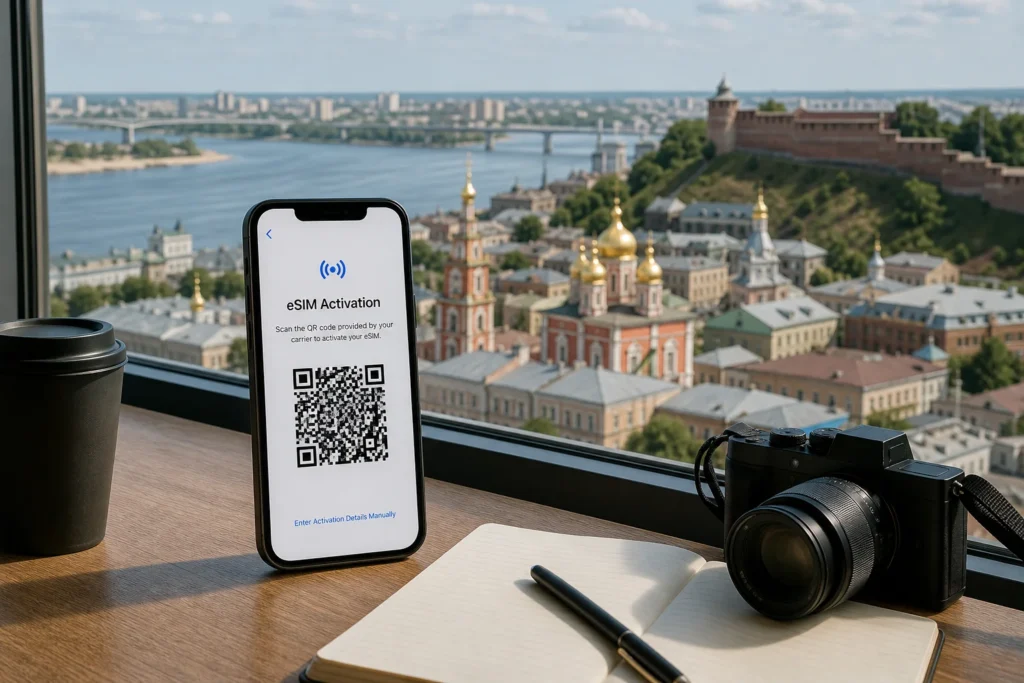
Getting mobile internet in Nizhny Novgorod matters: you’ll need maps, translation apps, and messaging. Since January 2025, Russian regulations require government biometric verification and a Gosuslugi account to purchase a local SIM card, making this impractical for tourists on short stays. For most visitors, buying a SIM card and getting internet in Nizhny Novgorod now means using an international eSIM before you arrive or enabling roaming on your home carrier—both legal, immediate options that work from the moment you land.
This guide explains what actually works for tourists in 2026, why the old methods no longer apply, and how to stay connected without bureaucracy.
Current access notice: As of October 2026: Russia's telecommunications regulations have made physical SIM card purchases by tourists significantly more complex since January 2025. Foreign visitors must present a passport, migration card, and undergo biometric verification through Gosuslugi (Russia's state services portal). This process takes 30–45 minutes. Additionally, a 24-hour data block on first-time foreign eSIM registration has been in effect since October 2025. Rules may change; check with your eSIM provider or Russian operator before travel.
Quick answer: Buy an international eSIM before departure from providers like Yesim, eSIM Pass or Nomad, activate it via QR code (takes 5 minutes), and it works when you land. Cost: budget to moderate depending on data needed. Alternatively, use your home carrier's roaming if rates are acceptable. Physical SIM cards sold in Nizhny Novgorod are no longer practical for tourists.
At a Glance
| Total time | 5–10 minutes for eSIM setup before departure; no queue time at your destination |
|---|---|
| Typical cost | ₽ to ₽₽ (eSIMs typically more affordable than roaming) |
What You Need Before You Start
- A smartphone that supports eSIM (iPhone 11 or newer, most Samsung Galaxy S20+, or similar modern device)
- Access to WiFi or internet to purchase and download the eSIM before travel
- Your home carrier's roaming rates checked in advance if using that instead
- A valid passport for identification (if you attempt to buy a physical SIM, though not recommended)
Compare Your Options
| Option | Duration | Price | Notes |
|---|---|---|---|
| International eSIM (recommended for tourists) | 10 minutes to set up before arrival; works immediately upon landing | ₽ | Data-only plans from Yesim, eSIM Pass, Nomad and others. Pricing: roughly 1 GB for 7 days or 10–20 GB for 30 days. No bureaucracy, no passport required in Russia. Works on any eSIM-compatible phone. Note: 24-hour data block on first connection (as of October 2025), then unrestricted access. |
| Home carrier roaming | Instant (already active on arrival) | ₽₽₽₽ | Call your carrier before travel to enable roaming and check rates. Foreign carriers typically charge $10–15 per day or per GB. Works everywhere but can be expensive. Useful as emergency backup if eSIM fails. |
| Airport WiFi or hotel WiFi only | Depends on location access | Free | Many hotels and public spaces in Nizhny Novgorod offer free WiFi. Use this for messaging and maps, but not for navigation on the street or real-time translation. Not practical for a full stay without a data plan. |
| Physical SIM from MTS, Beeline or Megafon shop (not recommended) | 30–45 minutes in-store after passport verification and Gosuslugi registration | ₽₽ | Since January 2025, requires passport, migration card, biometric registration in the state system, and 30–45 minutes wait. Only viable if you are staying over 90 days or are a registered resident. For tourists, the bureaucracy is not worth the time. Shops are at Nizhny Novgorod city centre, near metro stations, and in major shopping centres. |
| Borrow a Russian SIM from a friend or acquaintance | Immediate if available | Free | A Russian resident can share their existing SIM or purchase one for you. However, this creates a legal grey area for the account holder and is not recommended. Use only in emergencies. |
₽ budget · ₽₽ moderate · ₽₽₽ upscale · ₽₽₽₽ splurge. Price levels are estimates compared with typical prices for visitors.
Step-by-Step Instructions
Step 1: Check your phone supports eSIM
Confirm your smartphone can use eSIM technology. Modern iPhones (11 and newer), Samsung Galaxy S20+, and recent devices from other makers support it. Go to Settings > Mobile / Cellular and look for "Add eSIM" or "Cellular Plans". If you cannot find this option, your phone does not support eSIM and you will need roaming or a borrowed phone.
Tip: Older phones or some budget models do not support eSIM. Test this before your trip.
Step 2: Choose an eSIM provider and plan
Visit an eSIM provider's website (Yesim, eSIM Pass, Nomad, or others) and select a Russia-specific data plan matching your needs. Options range from 1 GB for one week to 50 GB for a month. Data-only plans (no phone number) are cheaper and sufficient for maps, messaging and translation apps. Add a phone number if you need to receive calls or SMS.
Tip: Light use (maps, messaging, translation) needs 1–2 GB per week. Social media and streaming require 5–10 GB per week.
Step 3: Purchase the eSIM
Complete checkout using a Visa, Mastercard, PayPal or Google Pay account (foreign cards work for eSIM providers—unlike in Russia). You will receive a QR code by email or within the provider's app. Save this code or keep the app open on your phone.
Tip: Buy this at least a few hours before your flight to allow time for delivery and activation setup.
Step 4: Scan the QR code and activate
On your phone, go to Settings > Cellular / Mobile > Add eSIM (or Add Data Plan, depending on your phone). Point your camera at the QR code and follow the prompts. The eSIM profile will download and install to your phone—no physical card needed. This takes 1–2 minutes.
Tip: Do this while connected to WiFi. Once activated, switch your phone to use the eSIM for data (keep your home SIM for calls if you have both slots).
Step 5: Arrive in Russia and enable the eSIM
When you land in Nizhny Novgorod and turn on your phone, the eSIM will automatically connect to the Russian network (Beeline, MTS, Tele2 or MegaFon, depending on location and the plan you purchased). Check that data is working by opening a map or messaging app. You will have internet immediately.
Tip: As of October 2025, there is a 24-hour data restriction on first-time foreign eSIM registration in Russia. Data may be blocked for approximately 24 hours, then becomes fully active. Plan accordingly—use hotel WiFi on arrival day if possible.
Step 6: Top up data if needed
If your plan expires or data runs out, most eSIM providers let you buy additional plans or top-ups through their app. This requires the same internet-before-purchase method but takes just a few minutes. Activate the new plan in your phone settings.
Tip: Track your data use in Settings > Cellular / Mobile to avoid running out unexpectedly.
Common Mistakes to Avoid
- Waiting until arrival to buy a SIM: You will land without data and cannot easily compare options or browse the provider's website without WiFi. Buy an eSIM before you depart.
- Assuming you can walk into an MTS or Beeline shop and get a SIM in 5 minutes: As of January 2025, the registration process takes 30–45 minutes and requires biometric verification. Come prepared or choose an eSIM instead.
- Not checking if your phone supports eSIM: Older phones, budget models, and some regional variants do not support eSIM. Test this before buying. If your phone is locked to your home carrier, contact them for an unlock code.
- Ignoring the 24-hour data block: Since October 2025, new foreign eSIMs are blocked for approximately 24 hours on first connection to the Russian network. Plan to use hotel WiFi on arrival day if possible.
- Trying to use a foreign Visa or Mastercard in Russia for a physical SIM: Foreign cards have not worked in Russia since March 2022. Even if you manage to buy a SIM, payment is impossible. Use cash or bring a Russian card if buying in-person.
- Overpaying at airport kiosks: Airport counters in Russian cities typically charge more than city shops or online providers. Buying an eSIM online before departure is usually cheaper and faster.
- Not checking whether your home plan includes Russia roaming: Some premium plans or specific countries do include Russia at no extra cost. Call your home carrier to confirm rates before enabling roaming as a backup.
Tickets, Payment and Booking
Recommended way to buy: Purchase an international eSIM online from providers such as Yesim, eSIM Pass, Nomad, or Sparks before you travel. These accept standard Visa, Mastercard, PayPal and Google Pay. No account with a Russian operator is needed.
If buying a physical SIM in Nizhny Novgorod: Visit a branded operator shop (MTS, Beeline, Megafon or Tele2). Bring your passport and migration card. Expect 30–45 minutes for registration. Shops accept cash in rubles only (foreign credit cards do not work). Locations: city centre shops near major streets, metro stations (Krasnye Ряды, Gorkogo), and shopping centres.
Warning: Do not buy from kiosks claiming to offer tourist SIMs. Since January 2025, all SIMs require proper biometric registration. Grey-market or informal sellers may not provide valid activation.
Russia Vibes Tips
- Install Yandex Go (the Russian equivalent of Uber) before arrival using WiFi. It requires a working phone number, but many versions accept a number you input manually. This lets you book rides without needing a Russian SIM immediately.
- Download offline maps of Nizhny Novgorod (via Google Maps, Yandex Maps, or 2GIS) while on WiFi. This saves enormous amounts of data and works even without internet, using only GPS.
- Expect the eSIM to take 24 hours to become fully active when first registered on the Russian network (as of October 2025). Plan your arrival day to include time at your hotel with WiFi so you can manage without mobile data initially.
- If your eSIM plan includes hotspot (most do), you can share internet with a travel companion or a laptop, making the data go further for multiple people.
- Check whether your phone is dual-SIM capable. If so, you can keep your home carrier's SIM in one slot for calls/SMS and use the eSIM for data, giving you two independent connectivity options.
- Beeline offers the most extensive 4G coverage in Nizhny Novgorod; MTS has the strongest nationwide 5G. Choose an eSIM provider offering plans on one of these networks if speed is a priority.
Explore Nearby Buy a SIM Card and Get Internet, Nizhny Novgorod
Browse more: All How-To · All How-To in Nizhny Novgorod · All Nizhny Novgorod · All SIM and Internet
FAQ
Can I actually buy a SIM card from a shop in Nizhny Novgorod as a tourist?
Technically yes, but it is not practical. As of January 2025, the process requires 30–45 minutes of biometric registration in the Russian government system (Gosuslugi). You need a passport, migration card (issued on arrival), and a Russian ID number (SNILS). For a week-long trip, buying an international eSIM before departure is far simpler.
Will my home carrier's roaming work in Nizhny Novgorod?
Possibly. Many Western carriers offer Russia roaming, but rates are high ($10–15 per day or per GB). Contact your carrier before travel to enable it and check costs. It works immediately without setup, but is expensive unless your plan includes Russia. Use it only as a backup.
What happens when I first turn on my eSIM in Russia?
Since October 2025, the eSIM will connect to the Russian network but data will be blocked for approximately 24 hours. After that, it becomes fully active. Plan to use hotel WiFi on arrival day. Some providers warn you in advance; others do not. Check with your eSIM provider's FAQ.
Do I need a Russian phone number to use maps and messaging?
No. Data-only eSIM plans (without a phone number) work perfectly for Google Maps, Yandex Maps, WhatsApp, Telegram and other messaging apps. A phone number is only needed if you want to receive calls or SMS or book certain local services. Most eSIM plans are data-only and cheaper.
What if my phone does not support eSIM?
Use your home carrier's roaming or enable WiFi-only mode and rely on hotel and café WiFi. Alternatively, buy a cheap prepaid phone in Russia (some cost as little as 1000–2000 rubles), though this adds complexity. Check before you leave whether your phone supports eSIM.
Can I share my eSIM data with another person?
Most eSIM plans include hotspot capability, meaning you can share the data connection with a travel companion via WiFi. Check your provider's plan details. Note that this uses data faster—if two people are streaming or using maps simultaneously, data will deplete quicker.
How much data should I buy for a week in Nizhny Novgorod?
For light use (maps, messaging, translation): 5–7 GB. For moderate use (add social media, photos): 10–15 GB. For heavy use (video calls, streaming, hotspot sharing): 20–30 GB. Download offline maps to reduce consumption. Most providers offer flexibility to top up if you run out.
Why is Russia different from other countries for SIM cards?
Since 2022, international sanctions have frozen foreign Visa/Mastercard payments in Russia. Since January 2025, all SIM purchases (even for tourists) require government biometric verification. This makes buying in-person bureaucratic and cash-only. International eSIMs bypass these issues entirely and are now the practical choice.
Russia Vibes is a one-person project. A coffee keeps it going
Not legal advice. This is general information for visitors. Rules on visas, entry, registration, customs and similar matters change often and can depend on your nationality. Check the official source and, if in doubt, ask your embassy or a qualified adviser.
How we research and update our guides
About this guide: AI assistance and accuracy
This guide is created with the help of AI and is based on official sources where available. Mistakes can still happen. Opening hours, prices, rules and other details are given to the best of our knowledge as of the date shown and can change without notice. It offers general recommendations only, not professional, legal or travel advice. Please confirm important details with the official source before you travel; you are responsible for your own plans and decisions.

Take this guide with you
Get a free PDF of this guide to print or read offline: key facts, tips and a map link on a few clean pages.
Report an issue on this page
Paying for your trip: please read
International sanctions affect payments between Russia and many other countries. In practice, cards issued in the EU, the UK, the US and several other countries often do not work in Russia, Russian cards usually do not work abroad, and some booking platforms, airlines and payment providers limit or suspend their services for Russia. The situation changes frequently.
We do not give legal or financial advice, and this site does not encourage anyone to break or circumvent sanctions. Whatever you plan, you are responsible for following the laws and regulations that apply to you, including those of your country of residence and citizenship.
Many travelers still organise their stay lawfully. It is worth asking your bank or payment provider what is currently permitted, contacting hotels, tour operators and carriers directly about the payment methods they accept, and checking which services are open to customers from your country. Clarify payment, cancellation and refund terms before you commit to a booking, and keep your plans flexible.
Partner links on this site may not be available in every country, and prices, availability and rules in our guides can differ from what you see when you book.