
This guide explains how to exchange currency and pay for goods and services in Nizhny Novgorod. International visitors arrive with one key constraint: standard foreign credit cards (Visa, Mastercard, American Express) do not work at shops, restaurants or ATMs in Russia due to sanctions. If you plan to exchange money and pay in Nizhny Novgorod, you have two practical options: bring cash in euros or dollars and exchange it locally, or open a Russian bank account and obtain a MIR card before or upon arrival.
The recommended approach is to bring cash in your home currency, exchange it at a bank branch or official exchange bureau in Nizhny Novgorod, and pay with rubles in cash or via contactless mobile payment (if you can obtain a MIR card).
Current access notice: As of October 2026, Western credit cards (Visa, Mastercard, American Express) do not work in Russia. Sanctions rules are subject to change. Check the latest guidance from the Russian Central Bank and your home country's travel advisories before departure.
Quick answer: Bring EUR or USD in cash, exchange it at a bank branch or official exchange bureau in central Nizhny Novgorod (takes 15–30 minutes), then pay in rubles everywhere. Alternatively, open a Russian bank account with a MIR card before departure or at a bank in the city within 1–2 days. Total time to exchange and settle in: 30–45 minutes.
At a Glance
| Total time | 30–45 minutes to exchange and settle in; ongoing as needed |
|---|---|
| Typical cost | ₽ |
What You Need Before You Start
- Passport
- Cash in EUR or USD (no rubles required)
- No foreign credit cards; they will not work
- Mobile phone with NFC (optional, for contactless payment via Mir Pay app)
- Android 7.0 or later (if you plan to use Mir Pay; iPhone not supported)
Compare Your Options
| Option | Duration | Price | Notes |
|---|---|---|---|
| Bring cash and exchange at a bank (recommended) | 30–45 minutes to exchange; ongoing | ₽ | EUR and USD are widely exchanged. Rates are set by the Central Bank and similar across all banks. Best for short visits. Bring your passport. |
| Open a Russian bank account and obtain a MIR card | 1–2 days | ₽ | Free in most banks. Requires your passport. Card works at all shops, ATMs and transport. Allows online payments. Best for longer stays or if you want a backup payment method. Can be done before departure (online) or in person at any bank branch. |
| Get a virtual MIR card via YooMoney (online) | A few hours | ₽ | Remote application and identity verification. Virtual card only; use with Mir Pay on Android phone. No physical card. Best if you want to minimize paperwork and have an Android phone with NFC. Cannot withdraw cash. |
| Withdraw cash from ATM with UnionPay card (if you have one) | 5 minutes | ₽ | UnionPay cards from China and some other countries work at Russian ATMs. Not an option for most Western visitors. Most foreign cards do not work. |
| Exchange at airport bureau (not recommended) | 10 minutes | ₽₽ | Airport exchange office is open but offers worse rates than city banks. Use only if you have no cash and arrive late. |
₽ budget · ₽₽ moderate · ₽₽₽ upscale · ₽₽₽₽ splurge. Price levels are estimates compared with typical prices for visitors.
Step-by-Step Instructions
Step 1: Verify what currency to bring
Bring EUR (euros) or USD (dollars) in cash. Do not rely on foreign credit cards—they do not work in Russia. Travellers often assume Visa or Mastercard will work and arrive unprepared. Check before departure that you have cash in a convertible currency. Avoid bringing other currencies; banks may not exchange them.
Tip: Avoid paying for exchange out of your own card; use cash only.
Step 2: Locate a bank branch in central Nizhny Novgorod
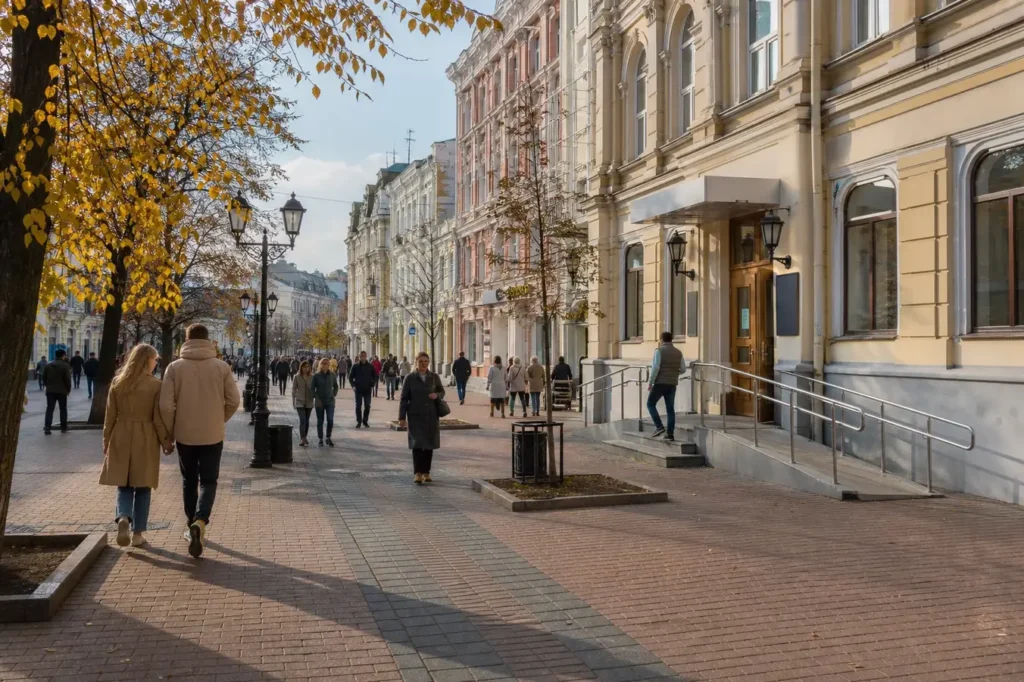
Find a bank branch on or near Bolshaya Pokrovskaya Street, the main shopping and business street in the city centre. Major banks like Alfa-Bank, VTB, Bank Kazani (Максима Горького), and Norvik Bank operate exchange counters. Most branches are open weekdays 9:00 AM–7:00 PM and Saturday mornings. Do not go to the airport exchange unless you have no alternative; rates are less favourable.
Tip: Bring your passport; all banks require it for currency exchange.
Step 3: Enter the bank and find the exchange counter
Walk in and look for the sign "Обмен валюты" (currency exchange). Join the queue or take a number if the bank uses a queuing system. The counter is usually inside the main hall or at the back. Do not approach a teller for regular accounts; go to the exchange desk specifically.
Step 4: Present your passport and exchange form
Give your passport and the completed exchange form to the teller. The form asks for your details, the amount and currency you are exchanging. The teller will show you the current rate and the amount of rubles you will receive. Confirm the rate and sign. The teller will count out your cash and give it to you along with your passport.
Tip: Rates are set daily by the Central Bank; they do not differ much between banks, but Tihonov Exchange and some smaller bureaus advertise better rates.
Step 5: Collect your rubles and receipt
Count your cash before leaving the counter. Keep your receipt; it is proof of the transaction. You now have rubles to spend in shops, restaurants, cafés, taxis and public transport throughout Nizhny Novgorod. Rubles come in notes (10, 50, 100, 500, 1,000, 5,000) and coins (5, 10, 50 kopecks, and 1, 2, 5, 10 rubles).
Tip: Keep small notes for tips and small purchases; many cafés prefer not to give change for large notes.
Step 6: Pay in cash everywhere
Cash is accepted in virtually all shops, restaurants, cafés, transport, hotels and attractions in Nizhny Novgorod. Simply hand over the correct amount or give a larger note and wait for change. Contactless card payment terminals exist in larger shops and restaurants, but foreign visitors cannot use them without a Russian bank card or MIR card.
Tip: Some vending machines, parking meters and public restrooms do not accept cash; check before using.
Step 7: Alternative: Apply for a MIR card if staying longer
If you plan to stay more than a few days or want cashless payment, visit a Russian bank (Sberbank, Alfa-Bank, VTB) with your passport. Ask for a tourist or foreign visitor debit card on the MIR system. Many banks issue them free. Deposit your EUR or USD at the cash desk; the bank converts it to rubles. The card arrives within 1–2 days and works at all terminals and ATMs displaying the MIR logo.
Tip: Some branches can issue a card same-day if you come early; call ahead to confirm.
Step 8: Use Mir Pay for contactless payment (Android only)
If you have an Android phone (version 7.0 or later) with NFC capability, download the Mir Pay app from RuStore (not Google Play). Add your MIR card to the app. Then tap your phone on any payment terminal in shops, restaurants, cafés, transport or ATMs. Payment works offline and requires no internet connection.
Tip: Mir Pay does not work on iPhones. Apple Pay and Google Pay no longer function in Russia.
Common Mistakes to Avoid
- Assuming your Visa, Mastercard or American Express card will work. These cards are blocked in Russia and will not work at any shop, restaurant or ATM. Always bring cash in EUR or USD as a backup.
- Not bringing your passport to the bank. Russian banks require your passport for all currency exchange transactions by law. You cannot exchange without it.
- Going to the airport exchange office for your main currency swap. Airport rates are less favourable than city banks. Exchange at a bank branch in the city centre instead.
- Underestimating how much cash you need. Not all shops and taxis accept cards; many small restaurants and independent shops take cash only. Withdraw enough rubles for several days.
- Trying to use Apple Pay or Google Pay. These services no longer function in Russia. Do not expect them to work.
- Carrying large amounts of cash without tracking it. Keep receipts from your exchange and budget your daily spending. Rubles are less familiar in shape and value; count carefully.
Tickets, Payment and Booking
There is no booking system for currency exchange. Visit any bank branch or official exchange bureau in Nizhny Novgorod during business hours.
- Official exchange at banks: Bring your passport to any branch of Alfa-Bank, VTB, Bank Kazani, Norvik Bank, or Bank Dom. RF. Exchange counters are open weekdays 9:00 AM–7:00 PM, Saturday 9:00 AM–4:00 PM, and closed Sunday. Rates are set by the Central Bank.
- Alternative exchange bureaus: Tihonov Exchange operates 24/7 and advertises competitive rates. Other specialised bureaus exist on Nesterova Street and near major streets.
- Payment methods: Foreign visitors can only exchange physical cash (EUR, USD). Do not attempt to use credit cards. All transactions are in rubles.
- Avoid resellers and informal exchangers: Never exchange money with street traders or unlicensed businesses. Use only official bank branches or licensed bureaus. Informal exchangers may offer fake notes or poor rates.
- MIR cards and accounts: Foreign citizens can open a Russian bank account and request a free MIR debit card with their passport. Many banks issue cards within 1–2 days. Visit any Sberbank, Alfa-Bank or VTB branch.
Helpful Links
Compare hotel pricesSearch flights
Advertisement: these are partner links. If you book or buy through them, we may earn a commission at no extra cost to you.
Russia Vibes Tips
- Exchanged rubles tend to accumulate in pockets; keep small notes separate for tips (10–50 rubles at cafés) and metro fare (40–60 rubles). Larger denominations (500, 1,000 rubles) are for big purchases.
- ATMs display the MIR logo if they accept foreign cards; look for it before inserting. Most ATMs in Nizhny Novgorod (Alfa-Bank, VTB, Sberbank ATMs) work with MIR cards issued to foreign visitors. Expect to pay a small foreign ATM fee if your bank charges it.
- Check the exchange rate on your phone before entering a bank or bureau. The Central Bank publishes rates daily on cbr.ru. Rates do not change much between branches, so do not waste time shopping around.
- Contactless payment terminals in shops show "Mir Pay" or accept mobile payments. If you have an Android phone and a MIR card linked to Mir Pay, tap it on the terminal instead of handling cash. This is safe and quick.
- If you get stuck without rubles in a small town outside Nizhny Novgorod, large shops (Magnit, Pyaterochka) have exchange desks or ATMs. City shops are always safer and faster.
- Do not exchange more than you need for 2–3 days at once. If you lose cash, you have no recourse. Small, frequent exchanges are safer.
Explore Nearby Exchange Money and Pay in Nizhny Novgorod
Related guides
 Buy a Transport Card and Pay Transit Fares, Volgograd: Volna Card Guide
Main image: AI-generated illustration. It may not show the place exactly as it looks.
Browse more: All How-To · All How-To in Nizhny Novgorod · All Money and Cards · All Nizhny Novgorod
FAQ
Can I use my Visa or Mastercard in Nizhny Novgorod?
No. Visa, Mastercard, and American Express cards do not work in Russia due to sanctions. They will be rejected at shops, restaurants and ATMs. Bring cash in EUR or USD instead, or apply for a Russian MIR card.
What currency should I bring?
Euros (EUR) and US dollars (USD) are easiest to exchange. Most banks exchange them at good rates. Bring cash; do not rely on credit cards. Keep notes in your pocket and use them at exchanges.
Is it safe to carry a lot of cash in Nizhny Novgorod?
Nizhny Novgorod is generally safe, but carrying large amounts of cash is not advised anywhere. Exchange money in small portions every 2–3 days, keep your cash in a money belt, and avoid counting it in public.
How much will the exchange rate cost me?
Exchange rates are set by the Central Bank and are the same at all official banks on any given day. There is no negotiation. Avoid informal exchangers, who may offer fake notes or unfair rates.
Can I withdraw cash from an ATM without a Russian card?
Not with a foreign Visa or Mastercard. If you have a UnionPay card (Chinese system), it may work at some ATMs. Otherwise, you must exchange cash at a bank counter.
What is a MIR card and how do I get one?
MIR is Russia's national payment system. A MIR debit card works like a Visa card but in Russia only. Visit any bank with your passport to apply. Many banks issue them free within 1–2 days. Deposit your EUR or USD; the bank converts it to rubles on your card.
Do I need to declare cash when entering Russia?
Russian customs allows foreign visitors to bring up to a certain limit in cash without declaration. Amounts above that limit require documentation of the money's origin (income certificate, gift agreement, inheritance certificate). Check your home country's rules on taking cash out before you travel.
Will I be able to use Apple Pay or Google Pay?
No. Apple Pay and Google Pay do not work in Russia. However, you can download Mir Pay on an Android phone and use it for contactless payment if you have a MIR card linked to it. Mir Pay works on Android 7.0 and later with NFC; it does not work on iPhones.
Russia Vibes is a one-person project. A coffee keeps it going
Not legal advice. This is general information for visitors. Rules on visas, entry, registration, customs and similar matters change often and can depend on your nationality. Check the official source and, if in doubt, ask your embassy or a qualified adviser.
How we research and update our guides
About this guide: AI assistance and accuracy
This guide is created with the help of AI and is based on official sources where available. Mistakes can still happen. Opening hours, prices, rules and other details are given to the best of our knowledge as of the date shown and can change without notice. It offers general recommendations only, not professional, legal or travel advice. Please confirm important details with the official source before you travel; you are responsible for your own plans and decisions.

Take this guide with you
Get a free PDF of this guide to print or read offline: key facts, tips and a map link on a few clean pages.
Report an issue on this page
Paying for your trip: please read
International sanctions affect payments between Russia and many other countries. In practice, cards issued in the EU, the UK, the US and several other countries often do not work in Russia, Russian cards usually do not work abroad, and some booking platforms, airlines and payment providers limit or suspend their services for Russia. The situation changes frequently.
We do not give legal or financial advice, and this site does not encourage anyone to break or circumvent sanctions. Whatever you plan, you are responsible for following the laws and regulations that apply to you, including those of your country of residence and citizenship.
Many travelers still organise their stay lawfully. It is worth asking your bank or payment provider what is currently permitted, contacting hotels, tour operators and carriers directly about the payment methods they accept, and checking which services are open to customers from your country. Clarify payment, cancellation and refund terms before you commit to a booking, and keep your plans flexible.
Partner links on this site may not be available in every country, and prices, availability and rules in our guides can differ from what you see when you book.