
Updated
Whether you’re planning a beach holiday in Sochi or visiting Russia for the first time, your visa depends entirely on your nationality. Most international visitors will need either the electronic e-visa (the fastest and simplest option) or a traditional Russian visa. This guide covers both routes, with a focus on getting a visa or e-visa for Sochi.
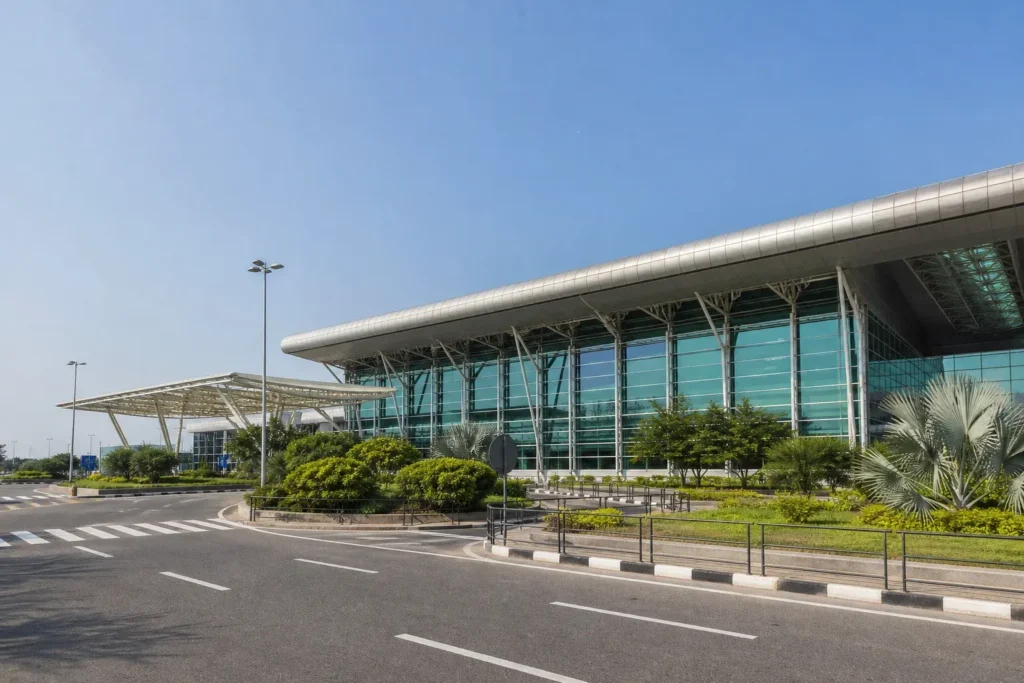
The good news: Sochi airport and seaport are official e-visa entry points, so if you’re an eligible national, the application is entirely online and takes about four days. No invitation letter, hotel booking, or flight confirmation needed.
Current access notice: As of October 2026: Sochi airport (Adler) and Sochi seaport are official checkpoints for e-visa entry. The system and eligibility list remain the same as announced in 2025, but applicants should verify the current eligible countries list and approved checkpoints on the official MFA website (evisa.kdmid.ru) before applying, as these may change.
Quick answer: The recommended option is the Russian e-visa, available to citizens of about 64 countries. Apply on the official MFA portal at least four days before arrival, upload your passport photo and a digital photo, arrange travel medical insurance, and pay online. Processing takes up to four calendar days; the approval arrives by email as a PDF.
At a Glance
| Total time | 15–25 minutes to apply; 2–4 calendar days for processing |
|---|---|
| Typical cost | ₽₽ |
What You Need Before You Start
- Passport valid for at least six months from application
- Digital passport-style photo (plain background, high quality)
- Scan or photo of your passport data page
- Travel medical insurance covering your entire stay
- Debit or credit card for online payment
- Email address to receive the approval notification
- Citizenship in one of the 64 eligible countries
Compare Your Options
| Option | Duration | Price | Notes |
|---|---|---|---|
| Electronic visa (e-visa) — recommended | 4 days to process; valid for 120 days from issue | ₽₽ | Online application only. Single entry, maximum 30-day stay. Available to citizens of approximately 64 countries including most EU states, Turkey, China, India, Mexico and others. Entry only at approved checkpoints (Sochi airport and seaport are approved). No invitation, hotel booking or flight ticket required. |
| Traditional Russian tourist visa | 5–30 days to process; typically valid for 30–90 days | ₽₽₽ | Requires an invitation letter from a Russian tour operator or private inviter, hotel booking confirmation, and an appointment at a Russian embassy, consulate or visa center. More documentation needed but offers longer stays and more flexibility on entry points. |
| Visa-free entry by cruise or ferry | Instant; valid for 72 hours only | Free | Sochi seaport (International Passenger and Cruise Center) is a designated visa-free entry point for cruise ship and ferry passengers only. Must live aboard the ship or in designated group accommodation. Cannot travel independently. Practical only for cruise tourists with pre-arranged shore excursions. |
| Humanitarian or business visa | 10–30 days to process | ₽₽₽ | For specific purposes such as cultural exchange, scientific conferences, or business meetings. Requires relevant supporting documentation and invitation from a Russian organization. Process is more complex than tourist visa. |
₽ budget · ₽₽ moderate · ₽₽₽ upscale · ₽₽₽₽ splurge. Price levels are estimates compared with typical prices for visitors.
Step-by-Step Instructions
Step 1: Check your nationality eligibility
The e-visa is available to citizens of approximately 64 countries. Most EU member states, Norway, Switzerland, Turkey, Indonesia, Malaysia, Mexico, the Philippines, Vietnam, China, India and many others qualify. Check the current list on the official Russian Ministry of Foreign Affairs website (evisa.kdmid.ru) to confirm your country is eligible. If your nationality is not listed, you will need to apply for a traditional Russian visa through a Russian embassy or consulate.
Tip: Citizens of Argentina, Mexico, Colombia, Chile, Peru, Ecuador, Venezuela and Cuba do not need any visa for Russia and may enter with a valid passport and travel insurance.
Step 2: Prepare your documents
You need three items: a digital photo of your passport's data page (the page with your photo and personal information), a recent passport-style photo on a plain background (phone photos are acceptable if clear and high quality), and proof of travel medical insurance covering the entire territory of Russia for your full stay. Unlike traditional visas, you do not need an invitation letter, hotel booking confirmation, flight tickets, or employer letter.
Tip: Your passport must be machine-readable (most modern passports are) and have at least two blank pages for stamps. Check this before starting your application.
Step 3: Register an account on the official portal
Visit evisa.kdmid.ru (the only official e-visa portal, run by the Russian Ministry of Foreign Affairs). Create a new account using your email address and a password. You will receive a confirmation email with a verification link. Click the link, then log in with your credentials. One account can hold applications for family members if traveling together.
Tip: Use an email address you check regularly—all notifications and your final approval will arrive there.
Step 4: Fill in the application form
Log in and start a new application. Enter your personal information exactly as it appears in your passport: full name, date and place of birth, nationality, and passport number. Add your home address, current occupation and employer, and your travel dates to Russia. The form will ask which Russian regions you plan to visit (Sochi is one option); enter any cities you're considering. For accommodation, you can enter any hotel name—no booking confirmation is required. Answers must match your passport letter for letter. Save your work as a draft if needed and return later to finish.
Tip: The form typically takes about 20 minutes. Double-check all spelling and dates against your passport before moving on, as errors will delay processing.
Step 5: Upload your passport page and photo
The form will ask you to upload two items: a digital image of your passport's data page (the page with your photo, passport number and personal details) in JPEG format, and a recent passport-style photo also in JPEG. Both must be clear and in color. The photo must show your full face straight on, with a plain background, neutral expression and mouth closed. Sunglasses, caps or hair covering your eyes will cause rejection. If either file is blurry or doesn't meet the requirements, you'll be asked to resubmit.
Tip: If uploading a phone photo of your passport, ensure the lighting is even and all text is readable. Take the photo straight-on, not at an angle.
Step 6: Confirm travel insurance and review your application
The form will confirm that you have travel medical insurance (you should have already arranged this before applying). Review all your information one more time: name, date of birth, passport number, travel dates and entry point. Confirm that your entry point is set to Sochi (or another approved checkpoint if not Sochi), as you can only enter and exit at approved checkpoints listed on the Ministry's site.
Tip: Pay particular attention to your entry dates. You can apply no earlier than 86 days and no later than 4 days before your intended arrival. Changing entry dates after submission may require a new application.
Step 7: Pay the fee online
The form will display the current fee before you submit. Payment is made through the official portal using major international credit or debit cards (Visa, MasterCard and similar). Children under 6 years old are exempt from the fee. Once payment is processed, your application is officially submitted for review. You cannot get a refund regardless of the outcome, so verify all details before paying.
Tip: If your card is declined, check that it is enabled for international online payments. Some banks require prior notification of travel to Russia.
Step 8: Wait for approval and download your e-visa
Processing takes a maximum of four calendar days (weekends count). You will receive an email notification when your application has been reviewed. If approved, you can log back into your account and download a PDF copy of your e-visa (called the approval notification). If there are errors in your application, you'll be notified within two days and given a chance to correct them before resubmission.
Tip: The timeline is maximum four days, but many applications are approved within 24–48 hours. Apply well in advance to avoid stress, not at the last moment.
Step 9: Print and carry your e-visa
Print a paper copy of your e-visa PDF and keep it with your passport. Also save the PDF on your phone or tablet as a backup. You do not need to present the e-visa to anyone before you arrive in Russia—it exists only in electronic form in the Ministry's system. However, border officers will scan and verify it upon arrival, so having a printed copy and a digital backup makes the process smooth.
Tip: Check the status of your application and e-visa in your account before leaving for the airport. If anything shows as pending or rejected, contact the Ministry immediately.
Common Mistakes to Avoid
- Applying outside the application window. You cannot apply more than 86 days before arrival or fewer than 4 days before arrival. Applying too early or too late will be rejected. Mark your calendar for the correct date range.
- Forgetting to arrange travel medical insurance beforehand. The e-visa requires proof of medical insurance covering Russia for your entire stay. You must have this policy before you start the application, not after. Book it first.
- Entering information that doesn't match your passport exactly. Names, dates and passport numbers must be letter-perfect. Even a middle initial missing or a different spelling will cause delays or rejection. Copy directly from your passport.
- Uploading a low-quality or non-compliant photo. Passport photos with sunglasses, hats, hair covering the eyes, colored backgrounds or poor lighting are rejected. Take a new photo on a plain white background with good lighting, straight-on, face visible.
- Planning to enter or exit at an unapproved checkpoint. The e-visa is only valid at specific border crossings listed on the Ministry of Foreign Affairs website. You cannot use any random airport or border post. Verify Sochi (or your chosen entry point) is on the approved list before booking your flight.
- Paying the fee and then making an error you cannot correct. Application fees are non-refundable regardless of outcome. Review every field three times before clicking submit and paying.
Tickets, Payment and Booking
Official e-visa portal: evisa.kdmid.ru (operated by the Russian Ministry of Foreign Affairs). This is the only legitimate online portal for e-visa applications. Any third-party website offering e-visa services is not official.
Payment methods: International credit and debit cards (Visa, MasterCard and similar) accepted through the official portal. Foreign visitors can use their home-country cards; the portal will display the exact amount before you pay.
No resellers or agents: Do not pay visa agents or third-party services to apply for you. The official portal is free to access and user-friendly. Agents charge extra fees and add no value.
For traditional Russian visas: Apply through a Russian embassy, consulate or authorized visa center in your country. Each mission handles its own applications and has different procedures.
Russia Vibes Tips
- Sochi airport is one of the closest international airports for e-visa entry if you are flying from Turkey, the Middle East or Central Asia. Direct flights from Istanbul, Yerevan, Dubai and other hubs avoid the need to transit through Moscow or Saint Petersburg, saving time and simplifying your journey to Sochi.
- The e-visa is single-entry only. If you plan to leave Russia and return (for example, to visit Turkey and come back), you need a new e-visa for each entry. Each costs the full fee, so factor this into your budget.
- Your e-visa is valid for 30 days from the date you enter Russia, not from the date it was issued. Days of arrival and departure both count toward the 30 days. If you enter on day 1, you must leave by day 30.
- Medical insurance is not optional. Do not try to enter without it—you will be stopped at the border. Book insurance that explicitly covers Russia and has a validity date covering your entire stay. Check that the policy number and dates match what the border expects.
- If your application is rejected or errors are found, you will be notified within 2 days. You can correct the errors and resubmit (you may need to pay a new fee). Start with at least one week before your travel date as a buffer in case of rejection and resubmission.
Explore Nearby Getting a visa or e-visa, Sochi
Browse more: All How-To · All How-To in Sochi · All Other · All Sochi
FAQ
Can I apply for an e-visa if I am not from an eligible country?
No. The e-visa is available only to citizens of approximately 64 countries. If your country is not on the list, you must apply for a traditional Russian visa through a Russian embassy, consulate or authorized visa center in your country. This process takes longer (10–30 days) and requires an invitation letter, hotel booking and other documents.
Do I need to show my e-visa to anyone before I arrive in Russia?
No. The e-visa is stored in the Russian Ministry's system. You do not submit it to your airline or anyone else. However, print a copy and carry it with your passport for your own records, and keep the PDF on your phone. Border officers will scan and verify your e-visa when you arrive.
Can I extend my e-visa after I arrive in Russia?
No. The e-visa allows a single entry and a maximum stay of 30 days. You cannot extend it. If you need to stay longer, you must arrange a different type of visa before you arrive.
What if my flight is delayed and I arrive after my e-visa expires?
Your e-visa is valid for 30 days from the date you enter Russia. If you do not enter by your planned date, the visa becomes invalid. If your flight is delayed, contact the airline to rebook or apply for a new e-visa with a later entry date (note: you may need to pay a new fee).
Can I apply for an e-visa if I am traveling with children?
Yes. Children need their own e-visa based on their passport and nationality. Each family member, including infants, must have a separate application. Children under 6 are exempt from the visa fee. You can hold multiple applications under one account on the portal.
What if I make a mistake in my e-visa application?
If errors are detected, the Ministry will notify you within 2 days and allow you to correct them. You can then resubmit. Major errors (wrong passport number, ineligible nationality, wrong entry checkpoint) will result in rejection. Minor errors (typos) can usually be corrected. Always review before submitting and paying.
Is the e-visa the same in paper and digital form?
Yes and no. The e-visa exists only in digital form in the Ministry's system. You print a PDF notification for your records, but this is just a reference document. Border officers will verify your visa in their system using your passport number, not the printed copy. Keep both the printed copy and the PDF backup for convenience.
Can I travel to other Russian cities with my Sochi e-visa?
Yes. The e-visa is valid for travel throughout Russia. You enter at Sochi but can travel to Moscow, Saint Petersburg, Kazan or anywhere else within your 30-day stay. However, you must respect any regional restrictions (for example, some border regions require additional permits). Your exit point does not have to be Sochi—you can leave from any approved checkpoint, though Sochi is convenient if you want to fly home from there.
Russia Vibes is a one-person project. A coffee keeps it going
Not legal advice. This is general information for visitors. Rules on visas, entry, registration, customs and similar matters change often and can depend on your nationality. Check the official source and, if in doubt, ask your embassy or a qualified adviser.
How we research and update our guides
About this guide: AI assistance and accuracy
This guide is created with the help of AI and is based on official sources where available. Mistakes can still happen. Opening hours, prices, rules and other details are given to the best of our knowledge as of the date shown and can change without notice. It offers general recommendations only, not professional, legal or travel advice. Please confirm important details with the official source before you travel; you are responsible for your own plans and decisions.

Take this guide with you
Get a free PDF of this guide to print or read offline: key facts, tips and a map link on a few clean pages.
Report an issue on this page
Paying for your trip: please read
International sanctions affect payments between Russia and many other countries. In practice, cards issued in the EU, the UK, the US and several other countries often do not work in Russia, Russian cards usually do not work abroad, and some booking platforms, airlines and payment providers limit or suspend their services for Russia. The situation changes frequently.
We do not give legal or financial advice, and this site does not encourage anyone to break or circumvent sanctions. Whatever you plan, you are responsible for following the laws and regulations that apply to you, including those of your country of residence and citizenship.
Many travelers still organise their stay lawfully. It is worth asking your bank or payment provider what is currently permitted, contacting hotels, tour operators and carriers directly about the payment methods they accept, and checking which services are open to customers from your country. Clarify payment, cancellation and refund terms before you commit to a booking, and keep your plans flexible.
Partner links on this site may not be available in every country, and prices, availability and rules in our guides can differ from what you see when you book.