
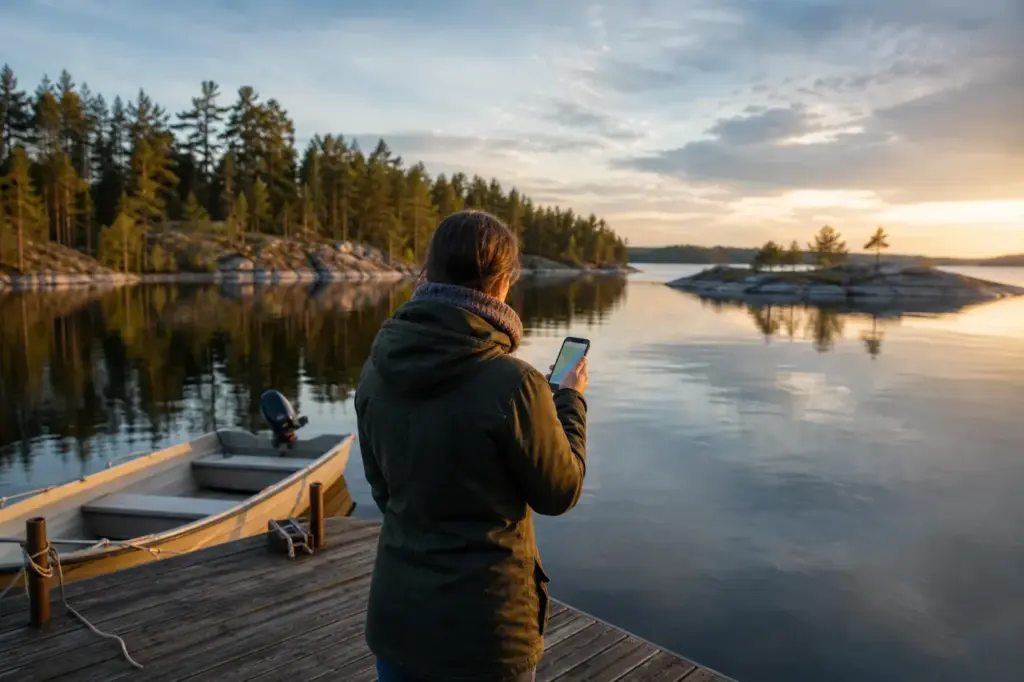
This guide shows how to stay connected with mobile internet in Karelia, a region of lakes, forests and islands where coverage is good in towns and uneven almost everywhere else. It is for visitors who need maps, translation and messaging on the road between Petrozavodsk, Sortavala, Kizhi and the national parks.
The practical choice is an eSIM installed on a compatible, unlocked phone, plus offline maps downloaded in advance. A physical Russian SIM card needs registration with a passport and takes time to arrange, so most travellers skip it. The steps below walk through the setup, and the options compare the alternatives. Read the steps in order and use the options as a plan B if something changes on the day.
Quick answer: Install an eSIM before you travel, download offline maps and expect weak signal in forests and on the islands. A newly activated eSIM can be restricted for about 24 hours, so set it up a day early.
At a Glance
| Total time | About 20 minutes to set up, ideally a day before you travel |
|---|---|
| Typical cost | ₽ |
What You Need Before You Start
- A phone that supports eSIM and is not locked to one operator
- A passport (needed only if you choose a physical SIM with registration)
- An offline map app with the Karelia region downloaded
- A power bank, because cold and searching for signal drain batteries
- A paper or offline copy of key bookings and addresses
Compare Your Options
| Option | Duration | Price | Notes |
|---|---|---|---|
| eSIM from a provider outside Russia | Set up in about 20 minutes | ₽₽ | Recommended for most visitors. It needs a compatible, unlocked phone, and a new activation can be restricted for about 24 hours. |
| Roaming on your home plan | Works as soon as you land, if your plan includes it | ₽₽₽ | Best for short trips if your provider lists Russia. Costs and availability depend on your plan, so check before you travel. |
| Physical Russian SIM card | Several hours to arrange | ₽ | Needs registration with a passport at an operator shop and is not quick for visitors. Better for long stays than for a short trip. |
| Wi-Fi only | No setup | ₽ | Free in many hotels and cafes. Suitable only if you can plan around offline maps and screenshots. |
₽ budget · ₽₽ moderate · ₽₽₽ upscale · ₽₽₽₽ splurge. Price levels are estimates compared with typical prices for visitors.
Step-by-Step Instructions
Step 1: Check that your phone can use an eSIM
Open your phone settings and look for an eSIM or digital SIM option, then confirm the phone is not locked to one operator. Without both, an eSIM will not install. If the phone is locked, ask your home provider to unlock it before you travel, because this can take days. Keep your physical SIM in the phone as a spare.
Tip: Do this at home, not at the airport.
Step 2: Choose an eSIM plan that covers Russia
Pick a data plan from an eSIM provider that lists Russia among its countries and offers enough data for maps, messaging and translation. Buy and pay before you leave home with a payment method that works there. Cards issued outside Russia do not work inside the country, so a plan bought on arrival is not a safe plan.
Tip: Choose a plan with a start date you can control.
Step 3: Install and activate it a day early
Follow the provider's instructions to install the eSIM, usually by scanning a QR code over a stable connection. A newly activated eSIM can be restricted for about 24 hours, which is normal, so do not wait until the airport to start. Switch the eSIM on for mobile data once you arrive.
Tip: Keep the QR code and instructions saved offline.
Step 4: Download offline maps and translation
Before you leave a city with good signal, download the Karelia region in an offline map app such as 2GIS, Yandex Maps or Google Maps, and save a Russian language pack in your translation app. Offline maps keep working on forest roads and ferry piers where the signal drops, and they save data on the days you rely on navigation.
Tip: Pin your hotel and pier addresses before you travel.
Step 5: Test the connection on arrival
After landing, turn on mobile data, switch on data roaming for the eSIM line only and open a web page. If nothing loads, restart the phone and check that the eSIM line is chosen for data. Do not use this as a reason to buy a physical SIM, since that needs registration with a passport and is slower.
Tip: Turn off roaming on your home line to avoid surprise charges.
Step 6: Plan for dead zones
Expect weak or no signal on Lake Ladoga and Lake Onega boat trips, on parts of the islands and on forest roads between towns. Save tickets, booking confirmations and your host's number as screenshots, and tell your host your arrival time before you leave a covered area. Coverage is usually best in Petrozavodsk, Sortavala and larger villages.
Tip: Do not wait for a signal at a remote pier to look up your booking.
Step 7: Use Wi-Fi as a backup
Hotels and guesthouses often offer Wi-Fi, and larger cafes in towns may as well. Some public networks ask for a code sent to a Russian phone number, which a visitor may not have, so treat public Wi-Fi as a bonus. Ask your host for the password when you check in.
Tip: Use your own data for banking and messages, not public networks.
Common Mistakes to Avoid
- Waiting until arrival to activate the eSIM, then finding it restricted for about a day. Install it at home instead.
- Assuming the signal is the same everywhere. It drops on lakes, islands and forest roads, so download offline maps first.
- Trying to buy a plan online after landing with a card issued outside Russia. Pay before you travel.
- Relying on public Wi-Fi that needs a Russian phone number for a login code. Ask your host for the private password.
- Leaving roaming on for your home line, which can cause charges. Switch it off and use the eSIM line for data.
- Forgetting to save tickets and addresses offline before a ferry or a long drive.
Tickets, Payment and Booking
Buy the eSIM before you travel, from the provider’s own website or app, and keep the confirmation saved offline. Top-ups or purchases made inside Russia with cards issued outside Russia do not work, so do not plan to fix a plan on arrival.
- Physical SIM: sold at operator shops in towns, with registration against a passport. Allow time, and ask your host which shop is nearest.
- Where to buy: official provider pages and the official shops of Russian mobile operators only.
- Warnings: avoid street sellers, kiosks without a visible operator sign and anyone who offers a pre-registered SIM, since the registration may not be valid.
Russia Vibes Tips
- Switch your phone to airplane mode with Wi-Fi on during boat trips to save battery that signal searching would drain.
- Download Karelia in an offline map app while you are still in Petrozavodsk, before heading into the forest.
- Take a screenshot of your guesthouse address in Russian script to show a driver or a local.
- Keep the phone warm inside your jacket in winter, because cold drains the battery quickly.
- If you plan to visit Valaam, treat signal as a bonus and keep a paper copy of your return ferry time.
Explore Nearby How to Stay Connected with Mobile Internet in Karelia, Karelia
Browse more: All How-To · All How-To in Karelia · All Karelia · All SIM and Internet
FAQ
Do I need a Russian SIM card in Karelia?
Not necessarily. An eSIM installed before you travel is the practical option. A physical Russian SIM needs registration with a passport and is slower to arrange, so it makes sense mainly for long stays. Details vary by season, so confirm them with your host or the operator before you go.
How long does an eSIM take to start working?
Installation takes minutes, but a newly activated eSIM can be restricted for about 24 hours, which is normal. Install it a day before you travel and keep your home SIM as a spare. Plans in Karelia depend on weather, so keep a spare day in your schedule.
Is there mobile signal on Kizhi and Valaam?
Signal on the islands is limited and varies by spot, so do not rely on it. Download offline maps and save your ferry times and booking details before you board. Check the official page of the operator close to departure, because schedules can change.
Will my phone work in Petrozavodsk and Sortavala?
Coverage is generally good in the towns and larger villages, as long as your eSIM is active. Outside them, signal can drop in forests and on lakes, so keep offline maps ready. Details vary by season, so confirm them with your host or the operator before you go.
Can I buy data with a card issued outside Russia?
Cards issued outside Russia do not work in Russia, so buy your eSIM before you travel on the provider's website. Do not plan to top up with such a card after arrival. Plans in Karelia depend on weather, so keep a spare day in your schedule.
Which map app works best offline?
Several apps work offline once you download the region. 2GIS and Yandex Maps are detailed for Russian towns and addresses. Download before you travel and test them without a connection. Check the official page of the operator close to departure, because schedules can change.
Is public Wi-Fi usable for visitors?
Hotel and guesthouse Wi-Fi usually works with a password from your host. Some public networks ask for a code sent to a Russian number, which you may not have, so do not depend on them. Details vary by season, so confirm them with your host or the operator before you go.
What if my phone is locked to my home operator?
An eSIM will not install on a locked phone. Ask your home provider to unlock it before you travel, because this can take days, and check the phone supports eSIM at all. Plans in Karelia depend on weather, so keep a spare day in your schedule.
Russia Vibes is a one-person project. A coffee keeps it going

Take this guide with you
Get a free PDF of this guide to print or read offline: key facts, tips and a map link on a few clean pages.
Report an issue on this page
Paying for your trip: please read
Payments and bookings between Russia and many other countries are currently restricted. In practice, cards issued in the EU, the UK, the US and several other countries often cannot be used in Russia, Russian cards usually cannot be used abroad, and some booking platforms, airlines and payment providers limit or pause their services for Russia. The situation changes frequently.
We do not give legal or financial advice, and this site does not encourage anyone to break any rule that applies to them. Whatever you plan, you are responsible for following the laws and regulations that apply to you, including those of your country of residence and citizenship.
Many travelers still organise their stay without problems. It is worth asking your bank or payment provider what is currently possible, contacting hotels, tour operators and carriers directly about the payment methods they accept, and checking which services are open to customers from your country. Clarify payment, cancellation and refund terms before you commit to a booking, and keep your plans flexible.
Partner links on this site may not be available in every country, and prices, availability and rules in our guides can differ from what you see when you book.
How we research and update our guides
About this guide: AI assistance and accuracy
This guide is created with the help of AI and is based on official sources where available. Mistakes can still happen. Opening hours, prices, rules and other details are given to the best of our knowledge as of the date shown and can change without notice. It offers general recommendations only, not professional, legal or travel advice. Please confirm important details with the official source before you travel; you are responsible for your own plans and decisions.
* Affiliate link: as an Amazon Associate we earn from qualifying purchases at no extra cost to you.