
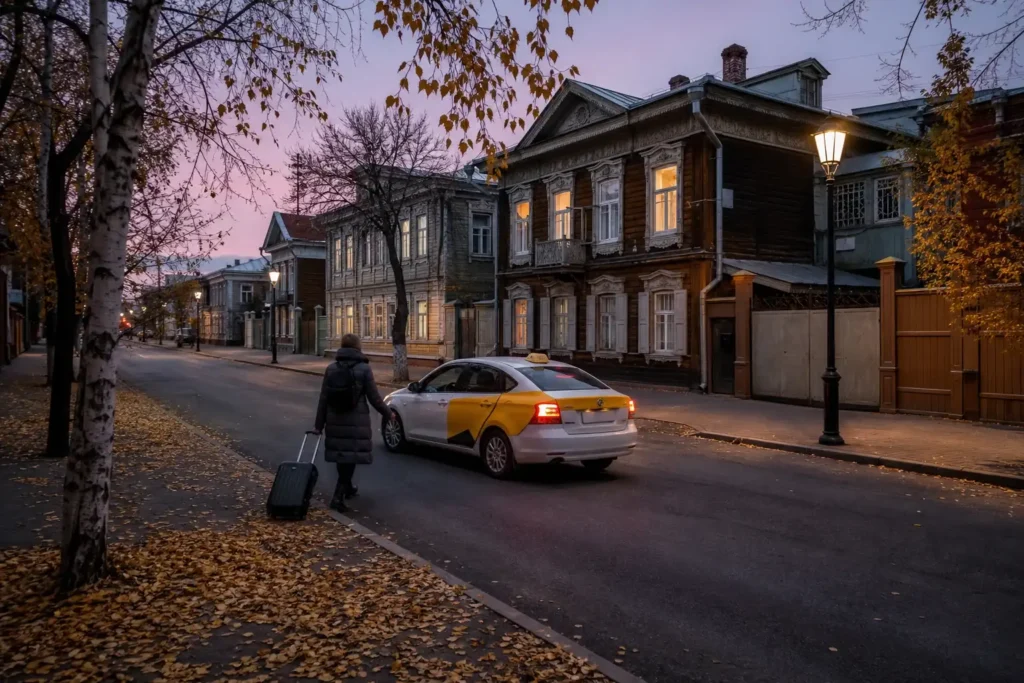
This guide explains how to book a taxi in Irkutsk, for visitors who need a reliable ride from the airport, the stations or the old town, or who simply want to avoid a long wait in the cold. Most local taxis are ordered through ride-hailing apps or by phone, and the apps show the car, the plate and the route before you set off.
The easiest option is to order through an app that works with your phone and payment method, or to book by phone and pay cash if apps fail. Which apps work for foreign visitors, and whether card payment is available in the city, was not fully verified, so check before you rely on one. Keep a backup plan, such as cash and your hotel’s transfer.
Quick answer: Order a taxi through a ride-hailing app or by phone, check the car and the plate, and pay cash or by app as allowed. A ride in the centre takes minutes, and the airport run is about 15 to 20 minutes without traffic.
At a Glance
| Total time | 5 to 15 minutes to book and meet the car |
|---|---|
| Typical cost | ₽₽ |
| Last updated | October 14, 2026 |
What You Need Before You Start
- A phone with a data connection and, if possible, a Russian SIM or local roaming
- A ride-hailing app that works for you, or a taxi phone number
- Cash in rubles, since card payment is not available everywhere
- The Russian address of your pick-up point and destination, written down
- A way to share your ride details with someone
- A backup plan, such as your hotel's transfer
Compare Your Options
| Option | Duration | Price | Notes |
|---|---|---|---|
| Ride-hailing app | 5 to 15 minutes to arrive | ₽₽ | The most convenient: you see the car, the plate and the estimate. Card payment is not available everywhere, and apps may need a Russian payment method or a working data connection. |
| Phone order to a taxi service | 10 to 20 minutes | ₽₽ | Works without an app or data, and some services let you pay cash. You may need a Russian speaker, so ask your hotel to call. |
| Hotel or pre-booked transfer | Arranged in advance | ₽₽₽ | A fixed fare and a meeting point. Best for late arrivals, early departures or groups. |
| Taxi stand or official car at the airport or station | Immediate if cars are waiting | ₽₽ | Convenient on arrival, but agree the fare first if there is no meter, and avoid people who approach you in the hall. |
| City transport | 20 to 40 minutes | ₽ | A cheap alternative for the daytime. See the How to Get Around Irkutsk Without a Car page. |
₽ budget · ₽₽ moderate · ₽₽₽ upscale · ₽₽₽₽ splurge. Price levels are estimates compared with typical prices for visitors.
Step-by-Step Instructions
Step 1: Choose your booking method
Decide whether to use a ride-hailing app, a phone order or a hotel transfer. Apps show the driver, the car and the route, and let you share your trip. Phone orders work without data, and a hotel can arrange a fixed-price car. Choose the method that fits your phone and payment, and keep a backup ready.
Tip: Install and test your chosen app before you need it, ideally on hotel Wi-Fi.
Step 2: Set your pick-up and destination
Enter the pick-up address and your destination, in Russian if the app allows, and check the pin on the map. In the old town, some streets are pedestrian or one-way, so move the pin to a street the car can reach. At the airport or station, follow the app's instructions to the pick-up point rather than waiting in the hall.
Tip: Move the pin to the nearest street with a clear entrance.
Step 3: Pick a tariff and check the price level
Choose the tariff that suits you: an economy car for one or two people, or a larger car if you have luggage, skis or a group. The app shows an estimate before you confirm. If you have heavy bags, pick a car with room. If the estimate seems very high, check the time of day and demand.
Tip: Order a larger car if you have skis or big suitcases.
Step 4: Choose how to pay
Select cash or card in the app. Cash is widely accepted by drivers, but card payment inside apps is not available in all cities, and foreign cards cannot be assumed to work. If you pay cash, carry small notes, since drivers may not have change. If you cannot pay by app, order by phone and pay cash.
Tip: Carry small notes; drivers often have little change.
Step 5: Confirm the order and wait
Confirm the ride and watch the car approach on the map. The app shows the driver's name, the car model, its colour and the plate. Wait in a safe, lit place, preferably indoors or at the agreed pick-up point. In winter, wait inside until the car is close.
Tip: Keep your phone warm in winter; cold drains the battery quickly.
Step 6: Check the car before you get in
Compare the plate and the car with what the app shows, and ask the driver 'Как меня зовут?' only if your app uses name checks; otherwise say your destination and confirm it. Do not get in if the car does not match. Put luggage in the boot, and sit where you can see the driver and the route.
Tip: Take a photo of the plate before you get in.
Step 7: Share your ride and follow the route
Share your trip with someone through the app, and watch the route on your own map. If the driver takes a different route, ask politely. In winter, roads may be slower, and the app may recalculate the time. Keep your phone and valuables with you.
Tip: Share your trip, especially at night or if you travel alone.
Step 8: Pay and leave
At the end, pay as agreed: cash to the driver, or automatically through the app if you set it up. Check that you have all your luggage before the car leaves. If there is a dispute, note the plate and the time, and contact the service through the app. Leave a small tip only if you wish; it is not expected.
Tip: Look at the seat and the boot before you close the door.
Common Mistakes to Avoid
- Getting into a car that does not match the plate or the model shown in the app.
- Accepting a ride from a person who approaches you in the arrivals hall, instead of ordering through an app or an official stand.
- Counting on card payment in the app when it is not available in the city; carry cash.
- Leaving the pin on a pedestrian street, so the driver cannot reach you; move it to a street with vehicle access.
- Waiting outside in deep winter cold; wait indoors until the car is close.
- Not agreeing the fare when ordering by phone or at a stand without a meter.
- Forgetting to share your trip at night; send the details to someone you trust.
Tickets, Payment and Booking
Apps and phone. Taxis are mostly ordered through ride-hailing apps or by phone. Some apps work in many Russian cities, and some services take phone orders; availability for foreign visitors was not verified, so check before you rely on one. Card payment inside apps is not available in all cities, and foreign cards cannot be assumed to work, so carry cash in rubles.
Payment and sanctions. Acceptance of foreign bank cards cannot be assumed, and the sanctions rules of your own country may restrict some payment services, so check this yourself.
Warnings. Avoid unofficial drivers who approach you at the airport or station, and agree a fare in advance if there is no meter or app. For transfers, see the How to Get from the Airport to the City Center, Irkutsk page.
Helpful Links
Compare hotel pricesSearch flights
Advertisement: these are partner links. If you book or buy through them, we may earn a commission at no extra cost to you.
Russia Vibes Tips
- For early flights, pre-book the taxi the evening before; some apps allow ordering in advance.
- If your hotel is in a courtyard, ask the staff for the exact entrance and give the driver a landmark.
- In heavy snow, allow extra minutes for the car to arrive and for the ride.
- A taxi is often faster than city transport for the short hop across the bridge to the railway station.
- If you carry skis or large bags, choose a larger car when ordering, not at the door.
- Keep your hotel's phone number handy in case your app fails.
Explore Nearby How to Book a Taxi, Irkutsk
Train stations and river piers near How to Book a Taxi, Irkutsk
 Irkutsk International Airport
Main image: AI-generated illustration. It may not show the place exactly as it looks.
 Irkutsk-Passazhirsky Railway Station
Main image: AI-generated illustration. It may not show the place exactly as it looks.
 Irkutsk Bus Station
Main image: AI-generated illustration. It may not show the place exactly as it looks.
Related guides
 How to Get from the Airport to the City Center, Irkutsk: Options
Main image: AI-generated illustration. It may not show the place exactly as it looks.
 How to Get from the Main Railway Station to the City Center, Irkutsk
Main image: AI-generated illustration. It may not show the place exactly as it looks.
 How to Pay for Public Transport, Irkutsk: Cards, Cash and Tips
Main image: AI-generated illustration. It may not show the place exactly as it looks.
 Farmekonom, Irkutsk: Pharmacy Chain Guide for Visitors
Main image: AI-generated illustration. It may not show the place exactly as it looks.
 Udacha, Irkutsk: A Small Local Grocery, What to Know
Main image: AI-generated illustration. It may not show the place exactly as it looks.
Browse more: All How-To · All How-To in Irkutsk · All Irkutsk · All Taxis and Apps
FAQ
How do I order a taxi in Irkutsk?
Through a ride-hailing app, by phone or via your hotel. Apps show the car and the plate before you set off. Check what works for your phone and payment method.
Can I pay cash?
Usually yes. Cash is widely accepted by drivers, and some apps let you choose it. Carry small notes, since drivers may not have change.
Can I use a foreign card?
Do not assume that foreign cards work. Sanctions rules in your own country may restrict some payment services, so check this yourself and carry cash in rubles.
Is a taxi safe at night?
Taxis ordered through an app, a service or your hotel are the safer choice. Check the plate, share your trip and avoid unofficial drivers.
How long does a taxi from the airport take?
About 15 to 20 minutes to the centre without traffic, longer in rush hours or snow. See the How to Get from the Airport to the City Center, Irkutsk page.
Do drivers speak English?
Few do. Use the app's route and the Russian address, and show your destination on your phone.
Can I book a taxi to Lake Baikal?
Yes, but check the fare and the return in advance with a service or your hotel; apps may not handle long trips. See the Listvyanka Day Trip, Irkutsk page.
Should I tip?
A tip is not expected, though rounding up is welcome. Pay the fare shown, and check that the amount matches the app.
Russia Vibes is a one-person project. A coffee keeps it going
Not legal advice. This is general information for visitors. Rules on visas, entry, registration, customs and similar matters change often and can depend on your nationality. Check the official source and, if in doubt, ask your embassy or a qualified adviser.
Last updated: October 14, 2026. Found an error or something out of date? Report it and we will check and fix it.
How we research and update our guides
About this guide: AI assistance and accuracy
This guide is created with the help of AI and is based on official sources where available. Mistakes can still happen. Opening hours, prices, rules and other details are given to the best of our knowledge as of the date shown and can change without notice. It offers general recommendations only, not professional, legal or travel advice. Please confirm important details with the official source before you travel; you are responsible for your own plans and decisions.
International sanctions affect payments between Russia and many other countries. In practice, cards issued in the EU, the UK, the US and several other countries often do not work in Russia, Russian cards usually do not work abroad, and some booking platforms, airlines and payment providers limit or suspend their services for Russia. The situation changes frequently. We do not give legal or financial advice, and this site does not encourage anyone to break or circumvent sanctions. Whatever you plan, you are responsible for following the laws and regulations that apply to you, including those of your country of residence and citizenship. Many travelers still organise their stay lawfully. It is worth asking your bank or payment provider what is currently permitted, contacting hotels, tour operators and carriers directly about the payment methods they accept, and checking which services are open to customers from your country. Clarify payment, cancellation and refund terms before you commit to a booking, and keep your plans flexible. Partner links on this site may not be available in every country, and prices, availability and rules in our guides can differ from what you see when you book.Paying for your trip: please read

Take this guide with you
Get a free PDF of this guide to print or read offline: key facts, tips and a map link on a few clean pages.